Building Tactile UX: Honoring Intentional Design With Lottie
Our take
The pursuit of truly tactile digital experiences is a fascinating evolution in web development, and Alexey Kopytin’s exploration of using Lottie animations, DOM events, and distance-based math to build a digital stress-relief squeeze toy highlights a crucial shift in architectural priorities. Traditionally, the go-to solution for replicating physical interactions online has been physics engines like Matter.js or Cannon.js. While powerful, these frameworks can introduce complexity and, crucially, a degree of separation between the designer's vision and the final result. Kopytin’s approach, championed by Isadora Agency, offers a compelling alternative—one where the architecture actively *serves* the art direction, rather than dictating it. This resonates with a broader movement towards design systems and component-driven development, where maintaining design fidelity across platforms and interactions is paramount. It’s a perspective we’ve previously explored in articles like The Rise of Design Tokens and Component Libraries: Beyond the Basics, both of which emphasize the importance of bridging the gap between design intent and implementation.
The key takeaway here isn't necessarily that physics engines are obsolete – they remain valuable for complex simulations. Instead, it’s about recognizing that for many interactive experiences, particularly those focused on subtle, intentional motion, a more controlled, animation-driven approach can yield superior results. By leveraging Lottie’s precision and combining it with DOM events and custom math, developers can achieve an incredibly nuanced level of control over the user's interaction. This is especially relevant as web interfaces become increasingly integral to emotional well-being and therapeutic applications. Think beyond simple stress relief; consider interactive onboarding flows, calming animations for mental health apps, or even gamified educational tools. The ability to precisely control the “feel” of these interactions can significantly impact user engagement and effectiveness. The article’s focus on honoring the designer’s intent also speaks to a growing appreciation for the role of motion design in crafting compelling and intuitive user experiences – a discipline we’ve discussed in depth in Microinteractions: The Power of Subtle Design.
The broader significance of this development lies in its potential to democratize tactile UX. Physics engines often require specialized knowledge and a significant investment of time to master. Kopytin’s methodology, while still requiring technical expertise, offers a more accessible pathway for front-end developers and UX engineers to create engaging, interactive experiences without necessarily needing to become physics experts. This shift could lead to a wider adoption of tactile design principles across various industries, from e-commerce to education. Furthermore, it encourages a more collaborative workflow between designers and developers, fostering a shared understanding of how motion can be used to enhance usability and create a more emotionally resonant user experience. The emphasis on direct control over motion also provides opportunities for performance optimization, potentially leading to smoother and more responsive interactions, especially on mobile devices.
Looking ahead, it will be fascinating to see how this approach evolves and how it influences the broader landscape of web interactivity. Will we see more developers embracing animation-driven architectures for tactile experiences? Will Lottie and similar animation tools become even more central to the front-end development toolkit? And perhaps most importantly, how will this focus on intentional motion design shape the future of user interfaces, moving beyond mere functionality to create truly engaging and emotionally satisfying digital interactions? The increasing sophistication of web browsers and the growing demand for immersive online experiences suggest that the exploration of tactile UX is just beginning, and the techniques highlighted by Kopytin represent a significant step in the right direction.
This article is a sponsored by Isadora Agency
When front-end developers and UX engineers are tasked with building a web interface that feels tactile, bouncy, or destructive, the industry instinct is almost always the same: reach for a physics engine. Frameworks like Matter.js, Cannon.js, or custom WebGL solutions have become the gold standard for creating immersive, gamified websites.
When our team at Isadora Agency set out to build Stress Release, a digital stress-relief squeeze toy designed to let burnt-out creatives smash, stretch, and distort animated UI characters, we initially explored that route. The goal was to build a highly tactile experience where every click yielded a satisfying, squishy reaction.
But as we began prototyping, we realized something crucial: Physics engines produce plausible motion, but in our case, the animators produced intentional motion.
We didn’t need our characters to act like realistic rubber balls bouncing uncontrollably around a canvas. We needed them to react in very specific, highly designed ways. So, we scrapped the physics engine entirely.
In this article, we’ll break down how we built a real-time stress-relief squeeze toy without a single line of WebGL or Matter.js, relying entirely on programmatic Lottie state controls, DOM manipulation, and distance-based math.
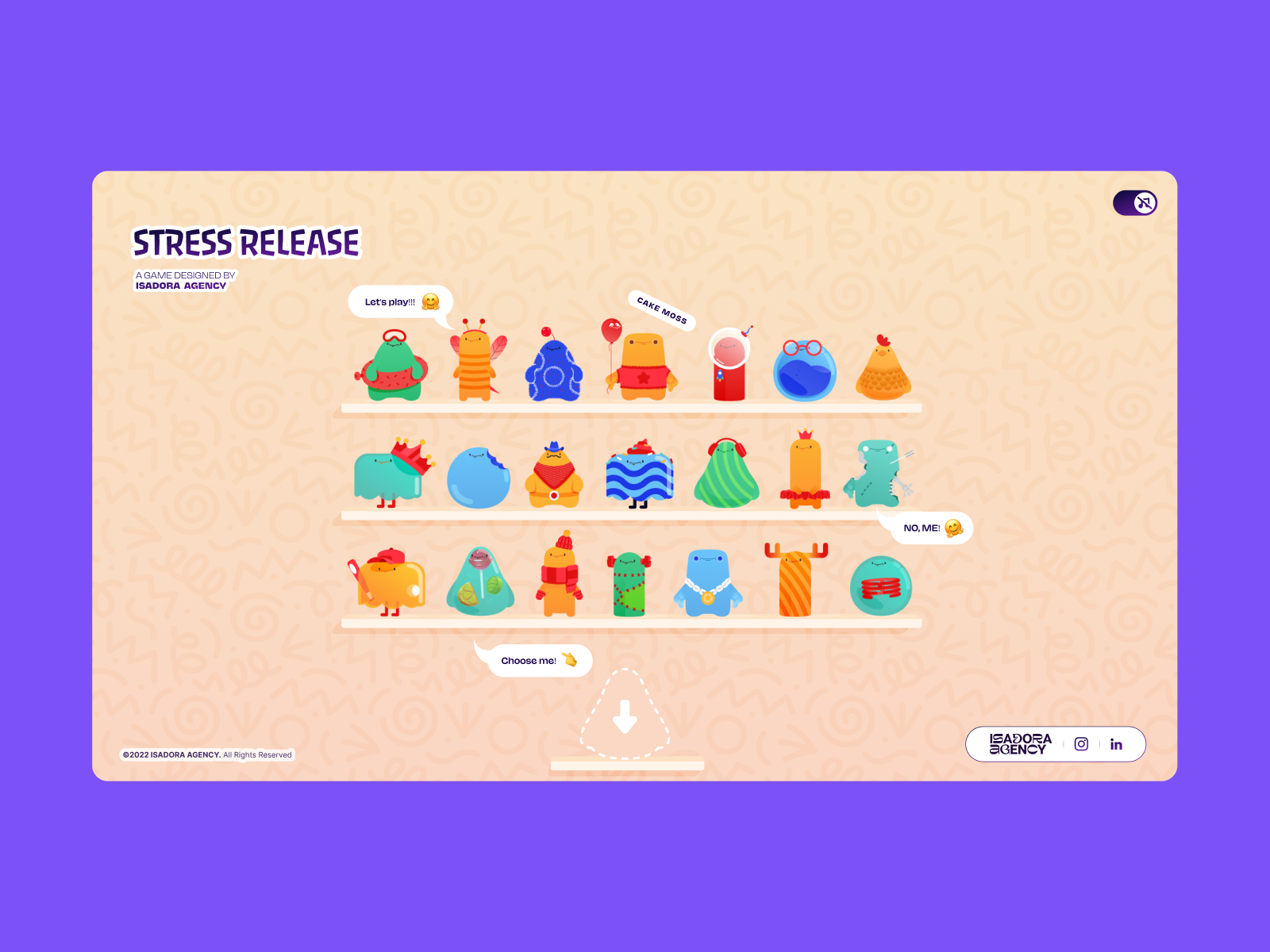
Our core requirement for Stress Release was absolute deterministic control. Our animators had crafted bespoke .json Lottie files that required exact, frame-by-frame sequencing.
For instance, our ‘mega squeeze’ reaction required a precise 181-frame build-up followed by a specific release sequence. To honor this design, we needed an architecture that wouldn’t overwrite the animators’ crafted keyframes with algorithmic approximations.
The tighter the click-feedback loop (click → squish → score), the more you need deterministic frame control. By choosing programmatic state control using Lottie’s native API, we ensured that the interaction layer acted as a flawless trigger for the animation layer.
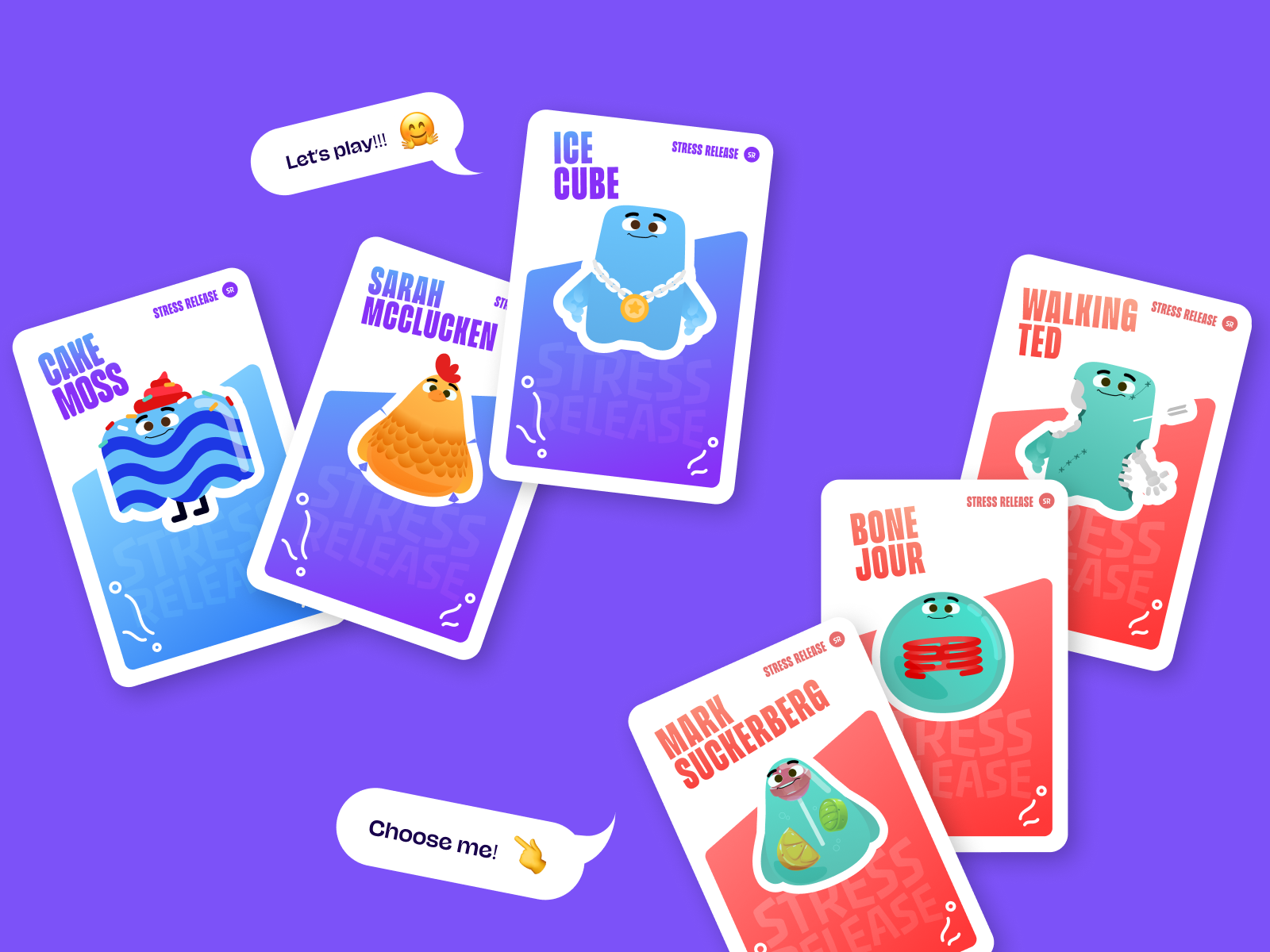
Because our architecture relied on Lottie and the standard DOM, rendering is handled directly by the Lottie runtime, which plays the JSON-based vector animations as SVGs internally. We selected elements directly by ID and CSS class, driving their behavior using a combination of Lottie animation segments, CSS transforms, and click-event math.
To achieve a deeply satisfying “tactile feel” upon hitting a character, we used radial input mapping. The first step was converting the click from page coordinates into the character’s local coordinate space.
Every click was measured against the character’s center point, then translated into score, feedback intensity, and explosion placement:
// Character's center point in its own coordinate space
var x_center = parseFloat($("#playChar").width()  / 2);
var y_center = parseFloat($("#playChar").height() / 2);

// Click position relative to the character's top-left corner
var offset = $("#playChar").offset(); // document-relative position
var X = parseFloat(e.pageX - offset.left);
var Y = parseFloat(e.pageY - offset.top);

// Vector from center to click point
var a = parseFloat(X - x_center);
var b = parseFloat(Y - y_center);
Then we calculate the straight-line distance from the center of the click using the Pythagorean theorem:
var distance = Math.hypot(a, b);
That single number drives everything: the score, the feedback intensity, and where the explosion animation appears:
// Distance zones map to point rewards
if      (distance < 10)  givePts = 100; // bullseye
else if (distance < 40)  givePts = getRndInteger(70, 90);
else if (distance < 70)  givePts = getRndInteger(40, 70);
else if (distance < 100) givePts = getRndInteger(20, 40);
else if (distance < 120) givePts = getRndInteger(10, 20);
else if (distance < 145) givePts = getRndInteger(1,  10);
else givePts = 0; // miss

// Explosion Lottie repositioned to the exact click point
var shiftPosition = window.innerWidth < 1023 ? -20 : 200;
$("#explosionChar").css({
  "margin-left": a + shiftPosition + "px",
  "margin-top":  b + shiftPosition + "px",
});

// Fire the squish animation instantly
explosion.goToAndPlay(0);
The result is a concentric zone system — a perfect circle of scoring rings around the character’s center, similar to a dartboard. The visual complexity of the Lottie SVG is completely irrelevant to hit detection; the hitbox is always a clean circle. Critically, the explosion Lottie animation is repositioned to (a, b) — the same vector used for scoring, so it always appears exactly where the player clicked. This spatial accuracy creates the tactile “I hit that” sensation entirely through math and DOM positioning.
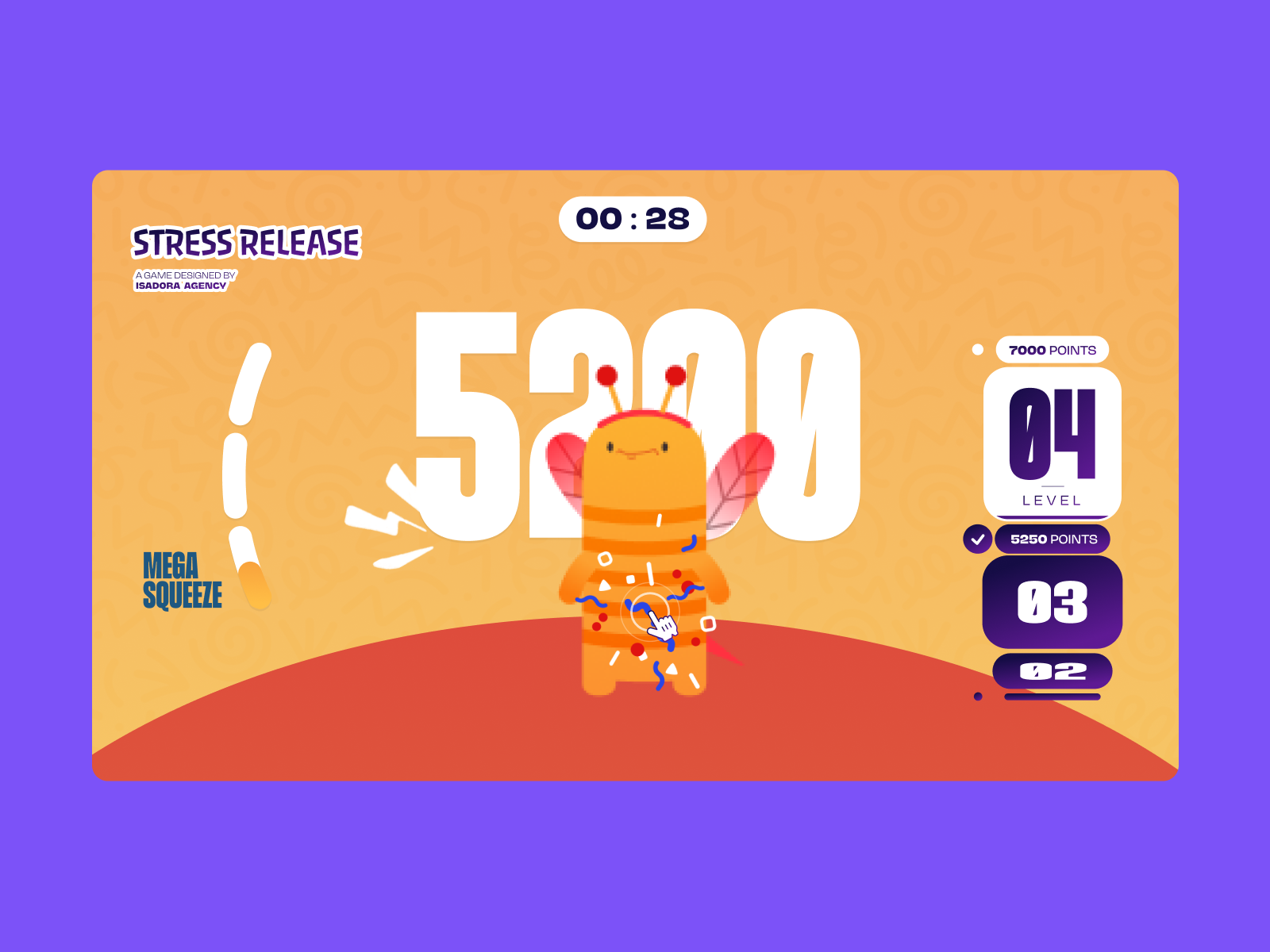
Because the experience used DOM-managed SVG elements, desktop clicks and mobile taps could be handled directly through native event listeners. This avoided extra raycasting or coordinate remapping layers, while keeping the interaction model aligned with how the animations were rendered.
Since the game requires a visual reaction at a specific point, Lottie handles all the squish and bounce feelings internally through its animation curves. Each character has a defined set of animation sections (idle loops, reaction frames, and end states) stored as frame ranges. When a click lands, we jump directly to the exact segment that matches the current game state:
// Animation sections defined as frame ranges per character
const play_segments = [{
  charId: 0,
  sections: {
    idle:     [0,  40],   // looping idle state
    squeeze1: [41, 80],   // light reaction
    squeeze2: [81, 120],  // medium reaction
    squeeze3: [121, 160], // heavy reaction
  },
  playOrder: ["squeeze1", "squeeze2", "squeeze3"],
  endAnimation: [161, 200]
}];
On every click, we advance through the play order and fire the next segment:
function stepAnim() {
  let p         = play_segments[0];
  let i         = p["playOrder"][curr_order_play];
  let playNow   = p["sections"][i];

  playChar.stop();                    // halt current segment immediately
  playChar.loop = false;              // no looping - play once and stop
  playChar.playSegments(playNow, true); // jump to exact frames, force immediately

  curr_order_play++;
  canPlayAnim = 0;                    // lock out further clicks mid-animation

  if (curr_order_play > p["playOrder"].length - 1) {
    curr_order_play = 0;              // cycle back to start of sequence
  }
}
When the segment completes, control returns to the idle loop:
playChar.onComplete = function() {
  canPlayAnim = 1;          // unlock clicks again
  if (!playEnd) playIdleState();
};

function playIdleState() {
  playChar.playSegments([0, 40], true); // return to idle loop
  playChar.loop = true;
}
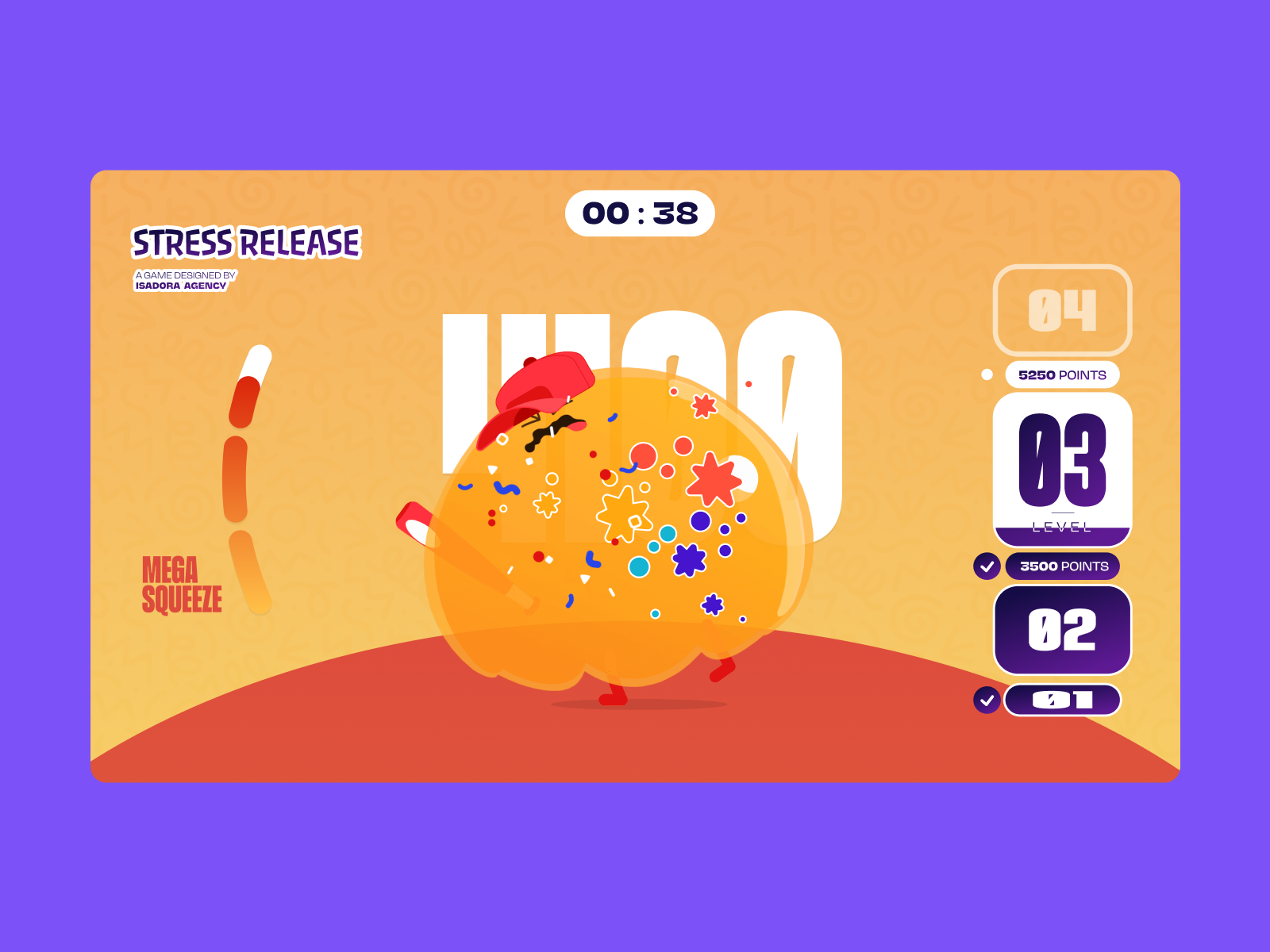
And for the mega squeeze build-up, the bar loops on a specific frame range until triggered:
// Loop the "ready to release" frames until player activates
indikL.loop = true;
indikL.playSegments([181, 302], true);

// On activation - play the release sequence once
indikL.loop = false;
indikL.playSegments([96, 396], true);
indikL.goToAndStop(0, true); // hard reset after completion
Another major factor in our architectural decision was responsive behavior. Because we built Stress Release in the DOM, we bypassed the complexities of scaling bounding boxes and collision vectors across different devices.
We handled responsive resizing entirely through CSS variables. By recalculating CSS custom properties on every resize, the layout simply reacts to the updated variables, and the Lottie SVGs scale naturally inside their containers without losing their state:
const appHeight = () => {
  const doc = document.documentElement;
  doc.style.setProperty("--doc-height", `${window.innerHeight}px`);
  doc.style.setProperty("--doc-width", `${doc.clientWidth}px`);
};
window.addEventListener("resize", appHeight);
appHeight(); // run immediately on init
While this architecture gave us total control over the art direction, it introduced a different challenge: file size.
Lottie JSON files can be heavy. We had 21 different character animations, plus multiple explosion variants that all needed to load. To ensure the experience remained fluid — especially on mobile devices — we implemented a few aggressive optimization strategies:
- Connection monitoring
We tracked initial asset load time usingperformance.now()to detect slow connections and flag when load times exceeded 5 seconds. - Sequential asset loading
Rather than initialising all 21 character animations simultaneously, we load them in pairs using await, advancing only when each pair completes. This prevents a burst of simultaneous network requests and render work from blocking the browser on low-end devices. - Aggressive memory management
Instead of keeping our heavy explosion animations in memory, we destroy and recreate them on the fly. This trades a tiny instantiation cost for a much lower idle memory footprint. - Dynamic quality reduction
Quality reduction is a single API call applied immediately after each shelf character loads. The key is applying different quality levels depending on the character’s role in the scene:
// Shelf screen - 21 animations playing simultaneously
shelf = lottie.loadAnimation({
  container: document.getElementById("charShelf" + i),
  renderer: "svg",
  loop: true,
  autoplay: true,
  path: "assets/shelf/" + shelfFolders[i] + "/" + shelfFolders[i] + ".json",
});
lottie.setQuality(0.5); // 50% quality - reduces interpolation calculations
shelf.setSpeed(0.6);    // 60% speed - fewer frame calculations per second

// Play screen - single focused character
playChar = lottie.loadAnimation({
  container: document.getElementById("playChar"),
  renderer: "svg",
  loop: true,
  autoplay: true,
  path: chosenChar.url,
});
lottie.setQuality(1); // full quality - only one animation at a time
When determining the stack for a gamified web experience, it is critical to let the design requirements dictate the technology.
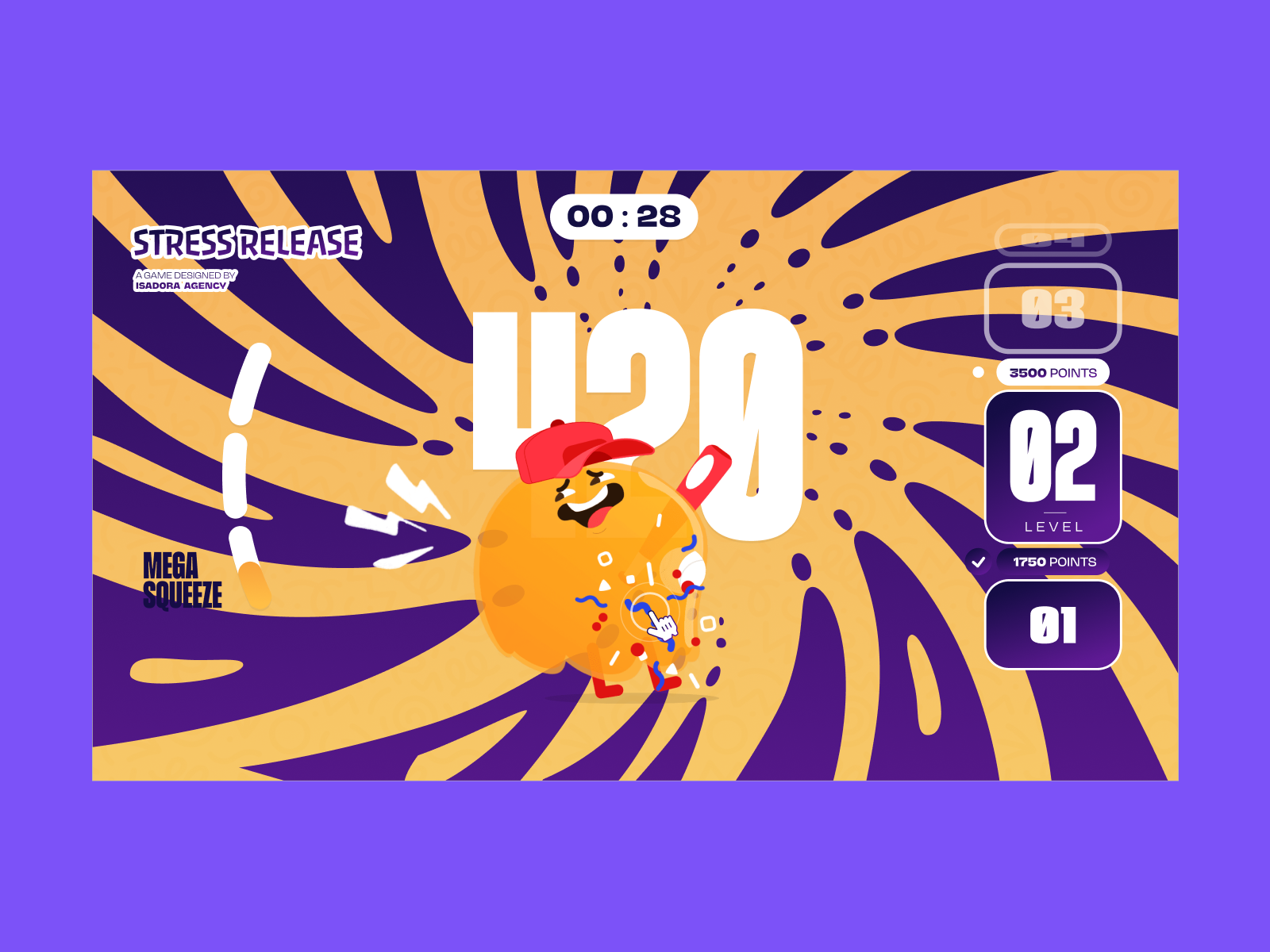
Because our interactions required bespoke, highly controlled visual reactions, we opted for programmatic state control over emergent simulation. This decision empowered the animators to dictate the exact feel of the experience, leaving the code to do what it does best: listen, calculate, and trigger.
By mapping Lottie’s native timeline capabilities to the DOM, you can deliver incredibly rich, tactile user experiences while maintaining absolute control over the art direction.
Further Resources
Want to try implementing this yourself, or see exactly how it feels in the browser? Check out these resources:
- Play with the code.
We have prepared a simplified demo example on CodePen demonstrating a character reacting to a click usingplaySegments(). - See the final product.
Check out the live Stress Release site to see all 21 characters and the optimization strategies in action. - Read the docs.
Explore the official Lottie Web documentation to learn more about the player controls we utilized. Specifically, exploreloadAnimation(),playSegments(),setSpeed(), andsetQuality()— the four methods that power the entire interaction layer described in this article.
Read on the original site
Open the publisher's page for the full experience