How to pull last value from table into another sheet
Our take
Hi guys! I've been an avid Excel user for over 20 years, but this is the first time I've been completely stumped. I have a spreadsheet I use to track bitcoin prices on an hour by hour basis. A screenshot of my main data sheet is here.
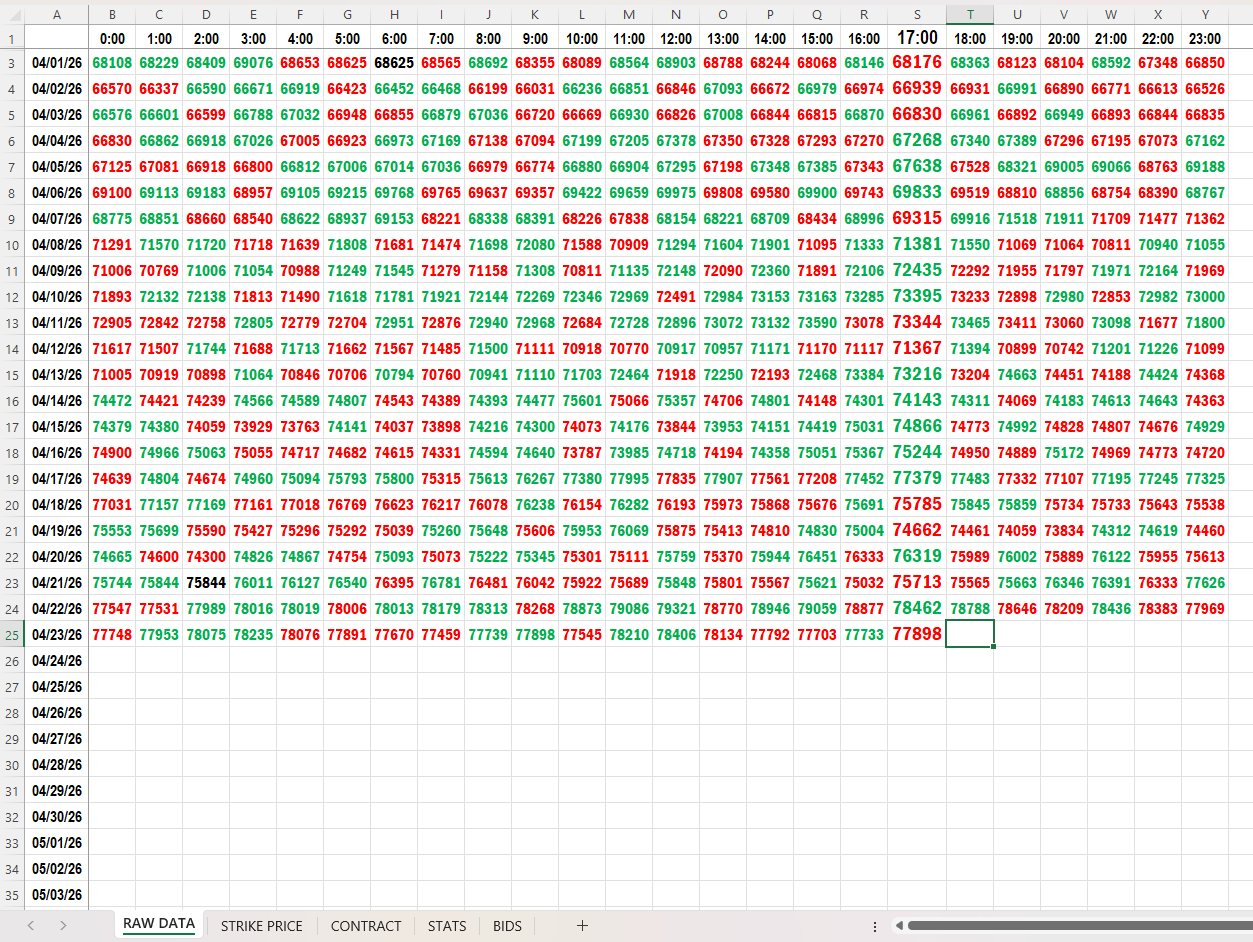
How would I import the LAST entered value in this array to another sheet? (say, for example the BIDS sheet)
I've tried LOOKUP and XLOOKUP but I'm apparently doing something wrong. every tutorial for each function tells me to use the same basic formula but it just doesn't work, I get either #VALUE or #N/A errors, for which Excel Help basically says "you're on your own, son". Even following calculation steps doesn't work on these functions.
The closest I think I've gotten (which still returns a #N/A) is this:
=LOOKUP(2,1/(ISNUMBER('RAW DATA'!B3:Y49)),'RAW DATA'!B3:Y49)
I would be eternally grateful if someone could just provide me the exact formula I would need to put on the BIDS sheet to produce the correct result (77898 in this case).
Thanks in advance.
[link] [comments]
Read on the original site
Open the publisher's page for the full experience