format
Beyond Market Intelligence keeps format in one place: 7 stories so far. The section currently leads with “Xcode 27.2 Adopts a JSON Config Format Designed for People and AI Agents”, “Stop Excel from Truncating Your BBAN Numbers with This Simple Fix”, and “Stop the Highlighting: Fixing Date Log Errors in Spreadsheet Workflows”. Apple is introducing a new JSON-based configuration format in Xcode 27.2, replacing the traditional property-list approach. Excel treats long numbers like BBANs as math, not text, so it silently replaces trailing digits with zeros. Acme AI is the next-generation, AI-powered spreadsheet platform built to replace Excel and redefine how analysts, data scientists, and enterprise teams work… The list below is every format story on Beyond Market Intelligence, newest first.

Xcode 27.2 Adopts a JSON Config Format Designed for People and AI Agents
Apple is introducing a new JSON-based configuration format in Xcode 27.2, replacing the traditional property-list approach. This isn't just a technical swap, it's a thoughtful redesign for a world where both people and AI agents need to read and modify project settings. The format prioritizes clarity and simpler maintenance, making it easier for developers and their AI coding partners to collaborate. For more on Apple's evolving AI ambitions, see our coverage of the company's new hire signaling a smarter path into AI-crafted podcasts.
Stop Excel from Truncating Your BBAN Numbers with This Simple Fix
Excel treats long numbers like BBANs as math, not text, so it silently replaces trailing digits with zeros. The fix is straightforward: before entering the number, format the cell as Text, or prepend an apostrophe. No need to fight with auto-conversion settings. For more spreadsheet troubleshooting, our guide on *When VLOOKUP Works in One Spreadsheet but Not the Other* covers similar formatting quirks. Your data deserves to stay intact, not truncated.
Stop the Highlighting: Fixing Date Log Errors in Spreadsheet Workflows
A VBA routine updating an "As Of" date field is a smart way to keep workflows honest, but it breaks when that date includes a time stamp your "Last Update" cell doesn't have. The two values will never match, so your conditional formatting highlights everything. The fix is straightforward: tell VBA to write only the date component using the `Date` function instead of `Now`. That strips the time and lets your highlight rule work as intended.
Your dropdown can control your entire table format: here's how
A dropdown cell can absolutely drive your entire table layout, and no, VLOOKUP won't cut it here. You're looking at dynamic array functions or a simple `INDIRECT` setup that pulls your formatted table from another sheet based on that source value. Merged cells complicate things, but they don't block the logic. For deeper guidance, our piece on smarter spreadsheet habits touches on similar frustrations. Start with `FILTER` or `CHOOSECOLS`, and test how your merged header behaves.
Navigate citation rules with confidence, not guesswork.
Formatting rules exist for a reason, but they shouldn't feel like a trap. If ICLR asks for Author Year, numbered citations might raise an editor's eyebrow, yet a desk rejection feels harsh unless the guidelines explicitly forbid it. Some reviewers care more about clarity than style. You could risk it, but why gamble? A quick tweak to the required format takes minutes.

How AI is reshaping streaming into one unified experience
For a decade, streaming platforms carved out their own corners: music here, video there. That era is closing. As AI simplifies how we create, organize, and recommend content, those walls are dissolving. Spotify, Netflix, YouTube, and TikTok are no longer just specialists; they are racing to become universal entertainment hubs. It is a bold move toward convenience, and one that could genuinely redefine how we consume media.
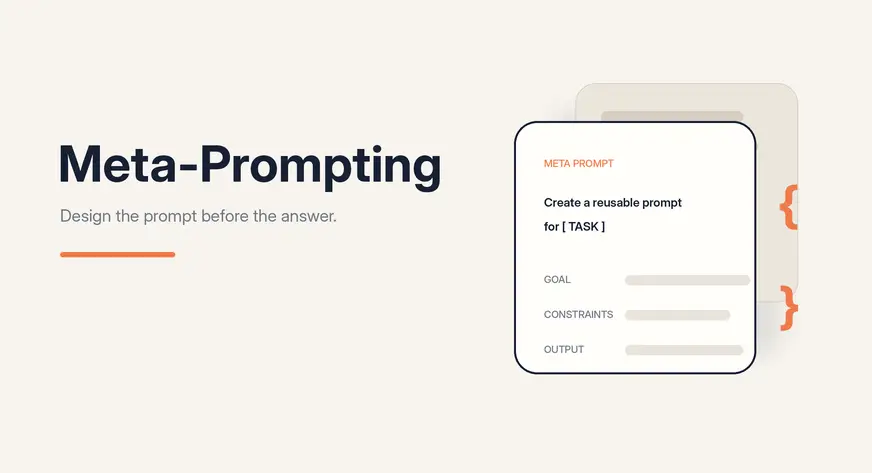
Design Smarter Prompts by Letting AI Build Its Own Workflow
Prompts are the quiet force behind every useful interaction with a large language model, yet they often fail when consistency matters most. Meta-prompting changes that by asking the model to build its own reusable prompt, template, or workflow before diving into the task. It's a smarter approach for teams that need the same output format again and again. If you're tired of vague results, this technique deserves your attention.