Microsoft Office
Beyond Market Intelligence keeps Microsoft Office in one place: 4 stories so far. The section currently leads with “Transform Excel Insights Into Polished PowerPoints With AI Assistance”, “When Spreadsheets Fight Back, It's Time to Explore a Smarter Path”, and “How to fix Excel 2016 crashes after the August KB5002903 update”. Excel holds the answers, but PowerPoint is where decisions get made. Fourteen years in finance, and suddenly Excel stops responding to clicks, closes the wrong workbook, and lags on everything. Acme AI is the next-generation, AI-powered spreadsheet platform built to replace Excel and redefine how analysts, data scientists, and enterprise teams work… The list below is every Microsoft Office story on Beyond Market Intelligence, newest first.
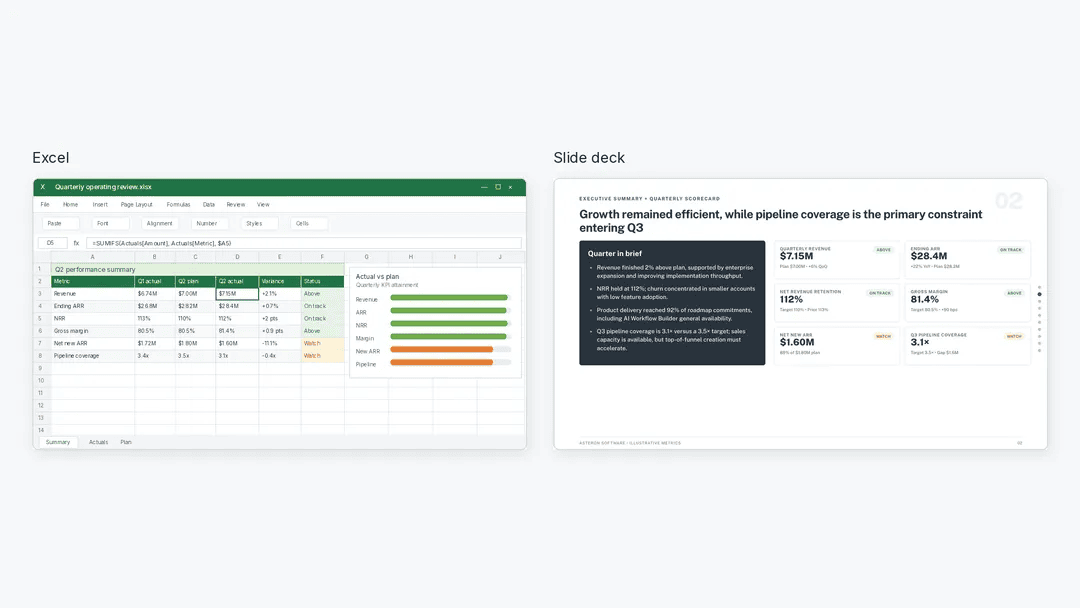
Transform Excel Insights Into Polished PowerPoints With AI Assistance
Excel holds the answers, but PowerPoint is where decisions get made. Julius AI bridges that gap, letting you analyze your data, verify the numbers, and generate an editable deck without the manual grunt work. It is a practical workflow for anyone tired of copy-pasting charts. For a deeper look at how to keep AI systems like this reliable, our guide on designing guardrails around agents pairs well with the ideas here.
When Spreadsheets Fight Back, It's Time to Explore a Smarter Path
Fourteen years in finance, and suddenly Excel stops responding to clicks, closes the wrong workbook, and lags on everything. That's what u/snakesnake9 reports across an entire corporate team, all on a standard Microsoft subscription. This isn't a hardware hiccup; it's a software regression that's quietly murdering productivity. For all the buzz about futuristic tools, sometimes the most impactful fix is simply making the core work again. It's a stark reminder that reliability is the real innovation.
How to fix Excel 2016 crashes after the August KB5002903 update
One update from August, KB5002903, turned Excel 2016 into a dead end for anyone juggling legacy .xls files. A user's workaround, replacing excel.exe and excelcnv.exe with pre-update versions, held up across multiple Windows machines. That is the kind of gritty, hands-on fix that saves a Tuesday. If you are wrestling with copy-paste quirks too, our piece on the KB5002914 breakage offers useful context. For now, test that file swap; it is a practical stopgap worth trying.
Discover how to update your Excel version with simple, guided steps.
Updating Excel for the first time can feel like a maze, but it's simpler than you think. You don't need to hunt for downloads or risk sketchy sites. Open Excel, head to File, then Account, and hit Update Options. That's your direct line to the latest version, straight from Microsoft. We've seen how AI tools are transforming data work, like in our piece on AI-powered spreadsheets empowering enterprises. Start there, and you'll be current in minutes.