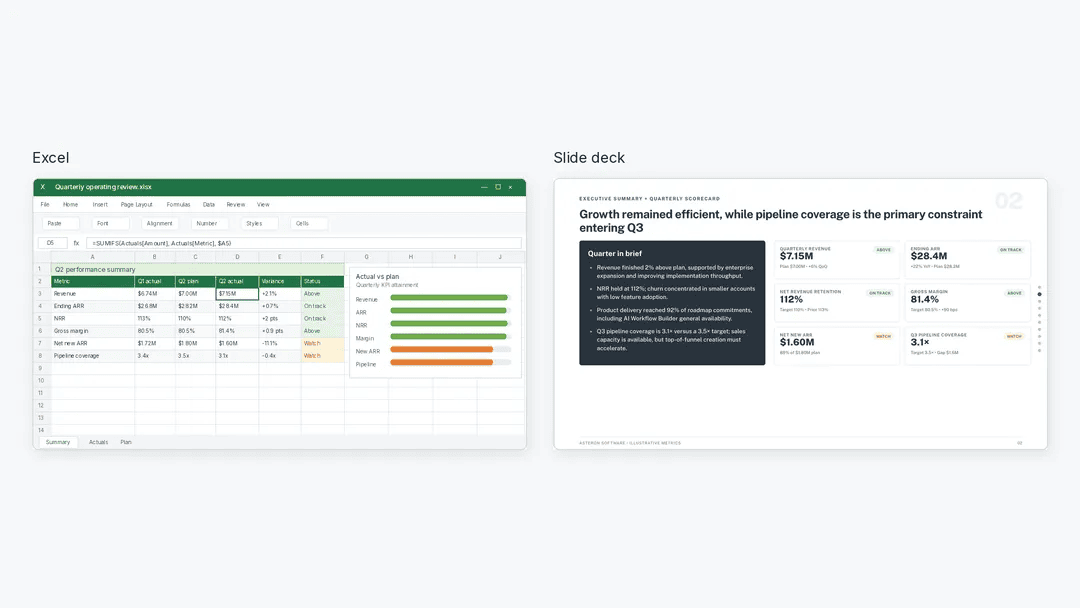
The real story here is not that you can turn an Excel sheet into a PowerPoint. It is that the entire workflow, from messy data to a polished narrative, now sits within reach of a single AI assistant. Julius AI does not just spit out charts; it analyzes the data, surfaces the key findings, and then hands you an editable deck. That last part matters. You are not locked into a static export. You keep control. This is the practical version of a larger idea we have been tracking: AI is not replacing your judgment, it is absorbing the busywork that used to consume your afternoons. As we noted in our piece on how AI Expands the Data Scientist Role Beyond Speed and Productivity, the real shift is not about doing the same tasks faster. It is about owning the outcome from start to finish.
For most spreadsheet users, the pain point has never been the analysis itself. It is the translation layer. You spend hours cleaning data, then more hours turning that data into something a stakeholder will actually sit through. Julius AI collapses that gap. It analyzes the Excel data first, which means you are not feeding it a final answer and asking for a pretty slide. You are asking it to find the story. Then, because it verifies key findings, you are not blindly trusting a black box. That verification step is what separates a useful tool from a dangerous one. It is also why this approach aligns with the guardrail thinking we explored in Designing AI Agent Guardrails: Essential Patterns for Data Engineers. The guardrail is not a wall; it is the habit of checking the output before it becomes your presentation.
What impresses us is the quiet confidence in how this works. There is no hype about replacing analysts or making every meeting obsolete. Instead, the tool invites you to stay in the loop. You verify. You edit. You own the final product. That is the right division of labor. The AI handles the heavy lifting, the pattern recognition, the formatting drudgery. You handle the context, the nuance, and the accountability. This is a future where your camera roll might know more about your life than your inbox, but your spreadsheet still needs a human who knows what matters. The tool does not decide what is important. It helps you see what is there.
The concrete takeaway is simple: if you are still exporting a CSV, pasting it into a chart, and then manually dragging text boxes into a deck, you are wasting time that no amount of productivity hacks will return. The next time you open a spreadsheet, ask what the AI can verify, not just what it can generate. Then ask yourself if you can defend the slide it produces. Because that is the real test. Julius AI gets you to the answer faster, but you still have to stand behind it. That is not a limitation. That is the job. Watch how quickly your workflow changes when you stop treating the deck as a separate deliverable and start treating it as the final line of an analysis you already trust.