month
Beyond Market Intelligence keeps month in one place: 4 stories so far. The section currently leads with “Five AI Coding Assistants Put to the Test: Which Tool Actually Works”, “Stop guessing your week numbers with this smarter date formula”, and “Turn scattered referral data into one clear monthly view.”. Choosing the right AI coding assistant shouldn't feel like a gamble. This user's frustration is entirely understandable. Acme AI is the next-generation, AI-powered spreadsheet platform built to replace Excel and redefine how analysts, data scientists, and enterprise teams work… The list below is every month story on Beyond Market Intelligence, newest first.
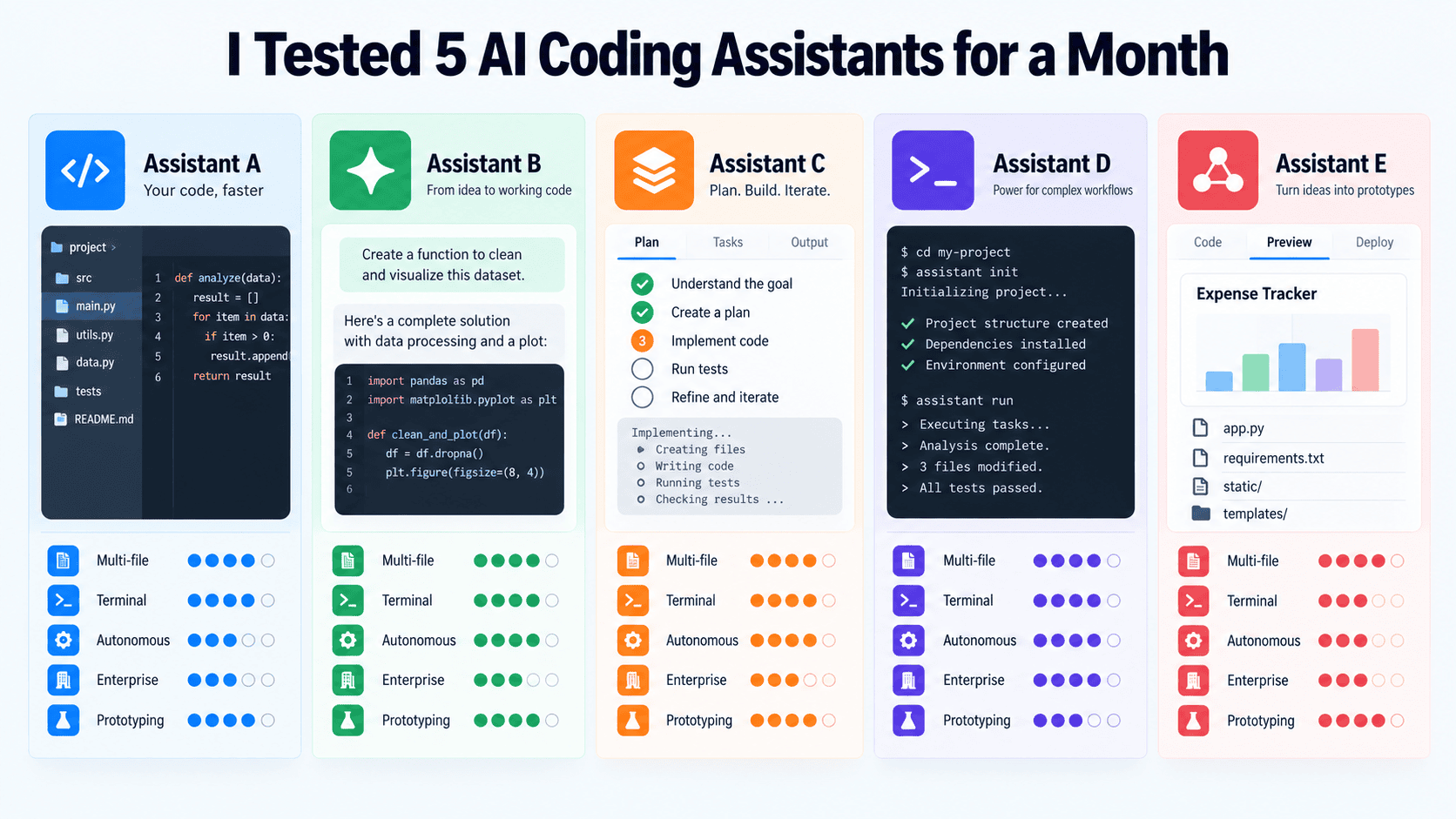
Five AI Coding Assistants Put to the Test: Which Tool Actually Works
Choosing the right AI coding assistant shouldn't feel like a gamble. We put five tools through a series of real-world tasks to see which ones actually deliver. The results reveal clear winners for different workflows, and a few surprises. If you're tired of tools that promise more than they perform, this test offers practical guidance. For a deeper look at how AI is reshaping productivity tools, check out our coverage on Melius and its approach to reimagining marketing workflows.
Stop guessing your week numbers with this smarter date formula
This user's frustration is entirely understandable. When August 1 lands on a Tuesday, Excel defaults to the prior Sunday in July, calling it "week 1" of August. That's not a bug; it's a formula logic gap. You need a month-specific week count that starts on the first Sunday of that month, not the year's calendar. A smarter approach uses `WEEKNUM` adjusted to the month's first day.
Turn scattered referral data into one clear monthly view.
Merging multiple tables that share an X axis but carry different Y axes is a familiar wall for anyone wrestling with monthly referral data. The manual route works, but it's tedious and prone to error, especially when you're juggling several sources. What you're describing isn't just about efficiency; it's about reclaiming time for analysis over assembly. Tools like pivot tables or a simple script can handle this transformation cleanly. For those exploring broader data-shaping ideas, our piece on TanStack Charts touches on flexible visualization approaches.
Transform Your Monthly Task Planning with Smarter Hour Calculations
If you're juggling start dates and required-by dates across a month, the math can get messy fast. You need a clear way to break down task hours by week or month, not just a total. Start by mapping each task's duration across your calendar, then allocate hours proportionally to the days they touch. A simple formula using date ranges and daily hour rates will get you there. It's about making the complex feel manageable, not adding more layers.