Spreadsheet suddenly turned all white/without any grids, rest of workbook is normal
Our take
I'm not sure what I did exactly but suddenly the spreadsheet I am working on is completely white (screenshot here). I must have lazily hit a random hot key trying to quickly toggle between sheets. The rest of the spreadsheets are normal with visible data (screenshot here - sample of new spreadsheet for privacy).
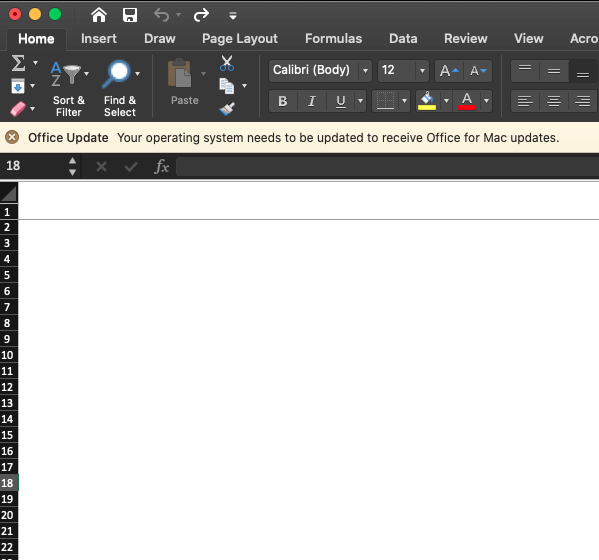
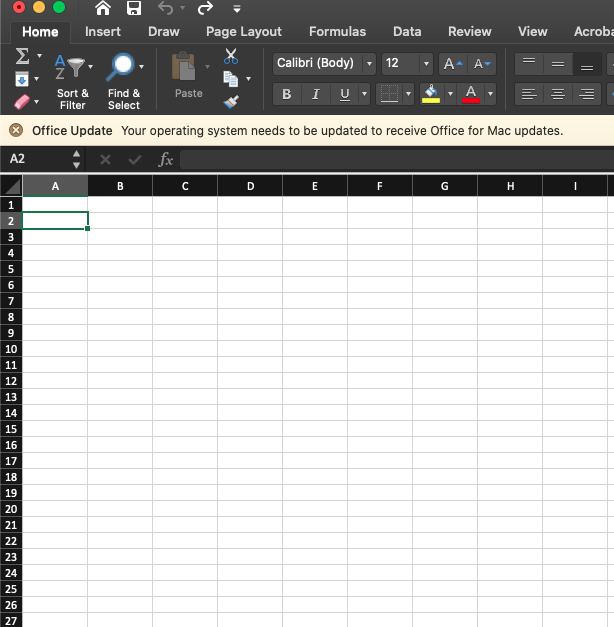
I don't think anything is erased since I can see there is data behind the white (the formula bar shows contents).
Please tell me this is fixable. I'm in the middle of itemizing 1600 lines and I really don't want to have to start over :(
Edit: gridlines are currently turned on in the view ribbon
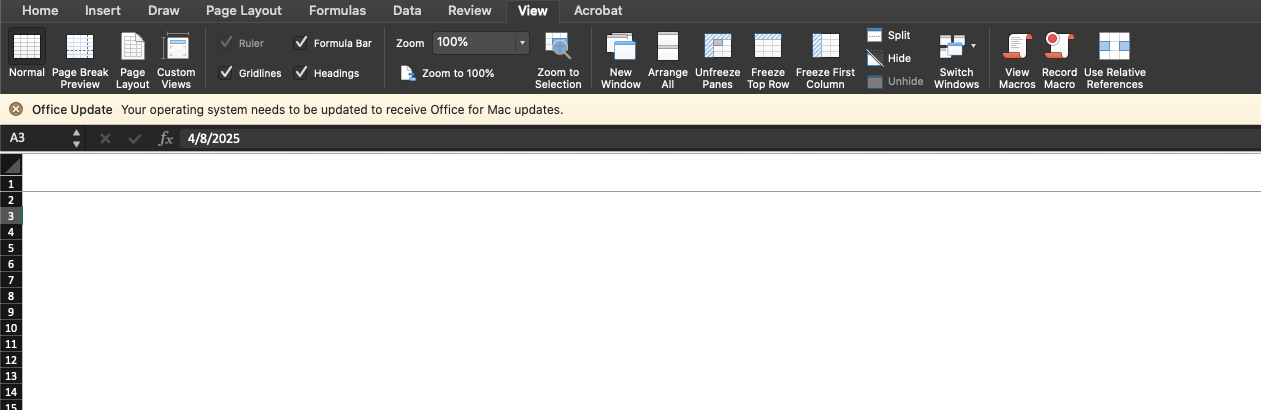
Edit 2: I'm currently working on a Mac if that helps with hotkey suggestions.
Final Edit: SOLVED! Turns out I somehow hid the columns via hotkey. If you look at my screenshots, the row numbers on the left are visible but the column letters on the top are not.
Addendum to final edit: So I selected an entire row and then instead of hitting "CMD -", I hit "CMD 0," which will hide the selected columns.
[link] [comments]
Read on the original site
Open the publisher's page for the full experience
Related Articles
- Excel in page layout - How to remove pages without any content?My spreadsheet behaves somewhat strangely. The pages without content aren't all greyed out. At the same time the cell grid on those pages is shown cropped. Printing the sheet results in two pages. One with all my content and one that's blank. How do I remove this blank page? Selecting the columns AD to AS and deleting them doesn't solve the issue. On the contrary, it just makes it worse. Now there would be five blank pages when printed. https://preview.redd.it/toybdete030h1.png?width=2473&format=png&auto=webp&s=ec611af7dccf21ccf8806340c93e2efd86392014 Win 11 with Office 2024 submitted by /u/Wild-Sir8868 [link] [comments]
- Cells filled in without Auto-Fill, formulas, or AI--what did I misunderstand?I might just be dumb but I can't figure out what happened today. I'm working on a quarterly report where I use a downloaded .cvs file as the bones. I clean the data, insert columns needed, and in some of those columns, I put enter formulas, do the whole autofill thing, normal stuff, right? I've done this report several times. My report has over 2000 lines of data that I have to check manually because the formulas aren't perfect. It doesn't take super long, and after a day and a half, I've gotten through 1400 rows. The weird thing happened when I got to the 1400s. I noticed a row I hadn't gotten to had data in a column with no formula, correctly formatted and accurate. When I kept scrolling, the entire rest of the column was filled in correctly without me editing it. There was no formula to auto-fill, and I don't use Copilot AI. I didn't copy and paste anything, none of that. I hadn't looked at that part of the sheet yet. It's probably silly, but it kind of freaked me out. This spreadsheet isn't shared with anyone, I'm the only one with access. The initial report is just data that I then break into chunks and send to someone else for the next stage. Google only showed me Auto-Fill and Flash-Fill as explanations, and I didn't use either. I looked in the settings and couldn't find any permission that matched, and I don't know how to explain this besides ghosts, I guess. At the end of the day, it's less work for me, so I'll take it, but if anyone can kindly explain what I'm missing that makes this make sense, I would appreciate it! submitted by /u/gremlinwitchboi [link] [comments]