user interface
Beyond Market Intelligence keeps user interface in one place: 36 stories so far. The section currently leads with “Figma opens its platform to agents and expands code access in beta”, “Explore ChatGPT's New Visual Interface for Smarter Conversations”, and “Stop digging through folders and paste your save path directly”. Figma is opening its platform to agents and expanding code access in open beta, a move that signals a more connected, programmable future for design tools. ChatGPT is about to get a lot more visual. Acme AI is the next-generation, AI-powered spreadsheet platform built to replace Excel and redefine how analysts, data scientists, and enterprise teams work… The list below is every user interface story on Beyond Market Intelligence, newest first.

Figma opens its platform to agents and expands code access in beta
Figma is opening its platform to agents and expanding code access in open beta, a move that signals a more connected, programmable future for design tools. The code layers feature, now widely available, lets teams work closer to production without leaving the canvas. It's a practical step toward bridging design and development. For deeper context on how AI agents are reshaping industries, see our related piece on Apate.ai sending agents undercover to study scam operations.

Explore ChatGPT's New Visual Interface for Smarter Conversations
ChatGPT is about to get a lot more visual. OpenAI is launching a new interface that brings interactive visuals directly into conversations, transforming how we explore data, concepts, and ideas. This is a move that turns a text-first tool into a more intuitive, human-centered workspace. For anyone who has felt the limits of static responses, this update empowers a smarter, more engaged way to work. And for more on AI's evolving role, see how Sigil Wen's free on-device AI redefines private data assistance.
Stop digging through folders and paste your save path directly
Navigating endless folder trees just to save a file is a frustration we know well. That paste-directly-into-the-save-path workflow? It makes sense. Yet when you type a directory path above the file name box, many spreadsheets reset to the default folder instead of honoring your input. That's not a user error, it's a design gap. Why force anyone to click through every subfolder twice? For a simpler approach to data workflows, see our guide on rebuilding smarter when nested formulas slow your data to a crawl.
One click to edit text in your spreadsheet cells
That double-click to edit text in Excel is a small friction that adds up fast, especially when you're building a dictionary and every second counts. One mis-click and your content vanishes. F2 is a partial fix, but it drops the cursor at the end of the text, not where you need it. What you really want is a single click that lands the cursor exactly at the typo. That's a smarter, more intuitive interaction worth exploring.
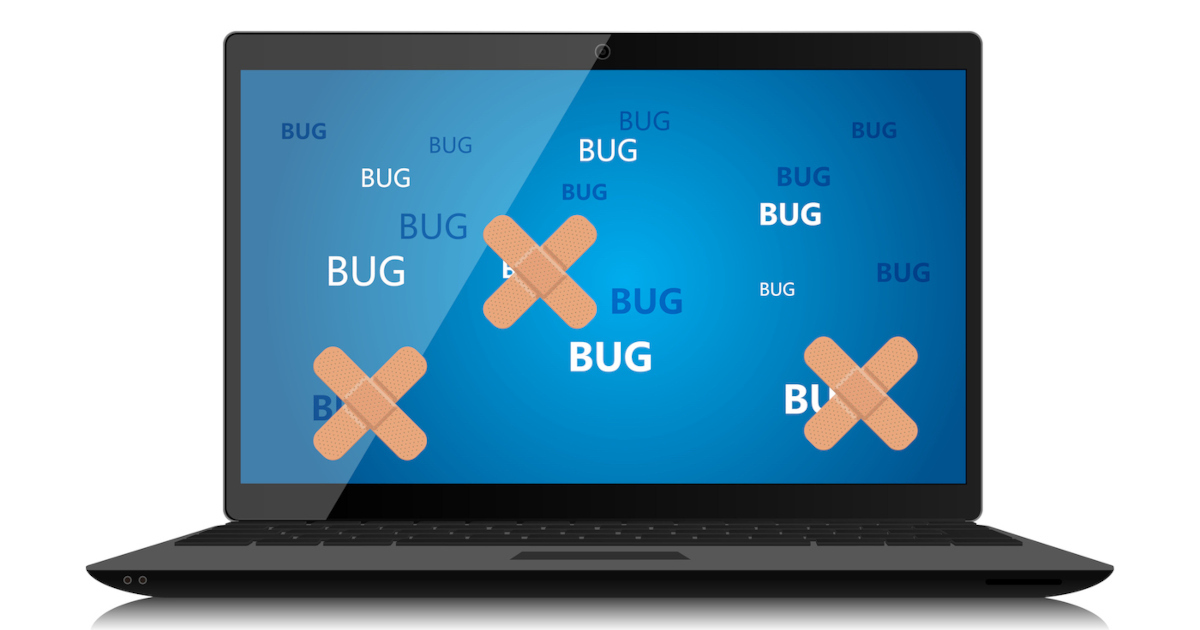
Prepare Your iOS Apps for the iPhone Duo’s Flexible Displays
The iPhone Duo's flexible display demands more than a quick tweak; it asks developers to rethink navigation, toolbars, and even camera behavior across distinct physical states. That's a meaningful shift in how we approach iOS design, and it's smart to start planning now. The outer screen, inner canvas, and partial folds each introduce new reserved regions to respect. For a deeper look at how skill demands are changing alongside hardware, check out our piece on navigating AI/ML job requirements.

Explore AI-Powered Glasses: Lightweight Design, Extended Battery Life
Meta's next step in wearable tech is refreshingly practical. The company says its camera-free glasses will shed significant weight while stretching battery life to a full 12 hours, a clear nod to users who want all-day wear without the bulk. That focus on endurance and comfort suggests Meta is listening to real friction points, not just chasing specs. It's a sensible evolution, and for anyone tracking this space, our related piece on Meta's broader smart glasses vision pairs well with this update.

Turn inspiration into action with AI that redesigns your own room.
Pinterest is testing Restyle, a new AI-powered feature that lets you visualize furniture, decor, and lighting directly in photos of your own rooms. It's a practical step toward turning saved inspiration into actual purchases, and we think that's a smart move. Rather than just pinning ideas into a void, you can see how they might fit your space. For more on how AI tools are reshaping everyday tasks, check out our piece on verifying your AI's understanding this tax season.
From Loot to Logic: Build Your Own Probability Tracker
Building a statistical cheat sheet for loot probability is a smart way to turn frustration into clarity. The user's plan to map binomial distributions onto reroll costs is practical, and the percentile overview idea adds real insight. The main hurdle is linking cost scaling to roll counts, but that's solvable with a lookup table. For a deeper dive into adaptive systems that handle variable outcomes, check out "Evolve Your Recommendations: Real-World Insights on Adaptive Systems.
When Spreadsheets Fight Back, It's Time to Explore a Smarter Path
Fourteen years in finance, and suddenly Excel stops responding to clicks, closes the wrong workbook, and lags on everything. That's what u/snakesnake9 reports across an entire corporate team, all on a standard Microsoft subscription. This isn't a hardware hiccup; it's a software regression that's quietly murdering productivity. For all the buzz about futuristic tools, sometimes the most impactful fix is simply making the core work again. It's a stark reminder that reliability is the real innovation.
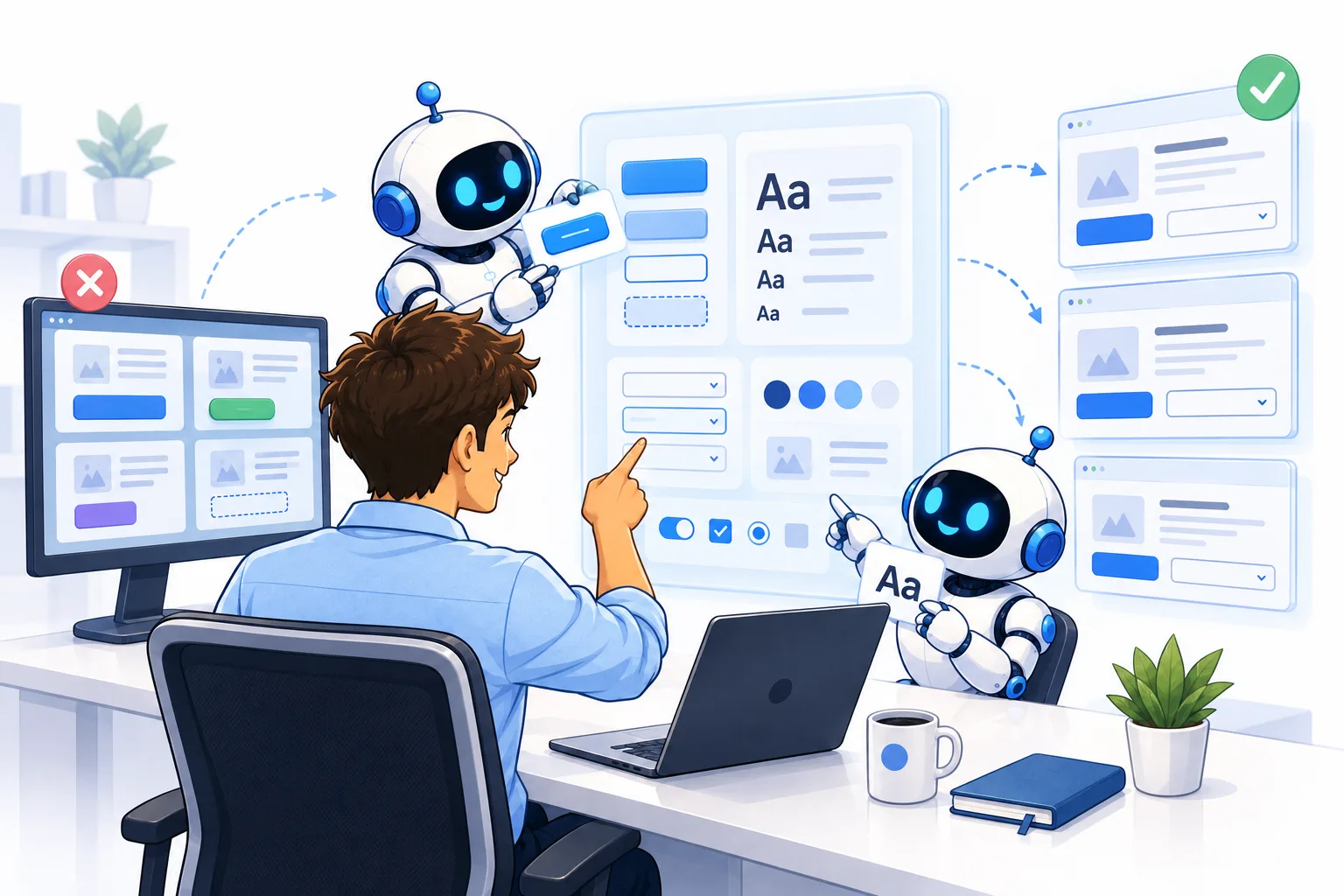
Design with precision using AI to guide your app's visual identity.
Consistent design shouldn't be a happy accident. If you're tired of patching together styles across projects, Claude Code offers a practical path to professional-looking apps without the usual friction. This guide walks through how to build design systems that actually stick, turning messy workflows into something repeatable. It's a smart, accessible approach for teams ready to move beyond manual fixes. For more on applying AI to real-world challenges, explore our piece on computer vision deployments. The takeaway? Consistency is a skill you can code.
Explore how Omarchy redefines what a desktop can do for you.
The idea of a single desktop tool replacing every other one you use is bold, but Omarchy makes a compelling case. It's not about cramming more features into a familiar interface; it's about rethinking what a spreadsheet can do when AI handles the heavy lifting. If you're tired of wrestling with legacy software, this feels like a genuine step toward a simpler, more productive workflow.

From screen to cart: explore products from your favorite shows directly
Prime Video is quietly turning viewing into shopping. Amazon now lets you discover products tied to thousands of shows, movies, and live sports through X-Ray, its shopping app, and the new Lens-powered "Shop the Scene" feature. It's a practical step toward making discovery effortless, not a gimmick. For those tracking how AI reshapes everyday tasks, this feels like a natural extension of connecting retrieval to action, much like our piece on bridging AI tasks. Explore it, but keep your wallet close.

Snapchat expands beyond messaging with new event-planning tools.
Snapchat is stepping into event planning with new features aimed at everything from birthday parties to study sessions. It's a smart move, targeting the casual, spontaneous gatherings where Partiful has found traction. We like the focus on real-life connection over polished digital curation. For more on how younger users are redefining online spaces, check out our piece on Gen Z finding community in NPR comments. It's a fitting reminder that the best tools meet people where they already are.

Siri Recap brings AI note-taking to your wrist conversations
Apple Watch's new Siri Recap feature listens to your conversations and distills them into clear summaries, a practical twist on note-taking that feels less like a gimmick and more like a genuine productivity win. It's similar to tools like Granola, but it's built right into your wrist, which changes the calculus. We're intrigued by how this fits into a broader trend: making AI assist without adding friction.
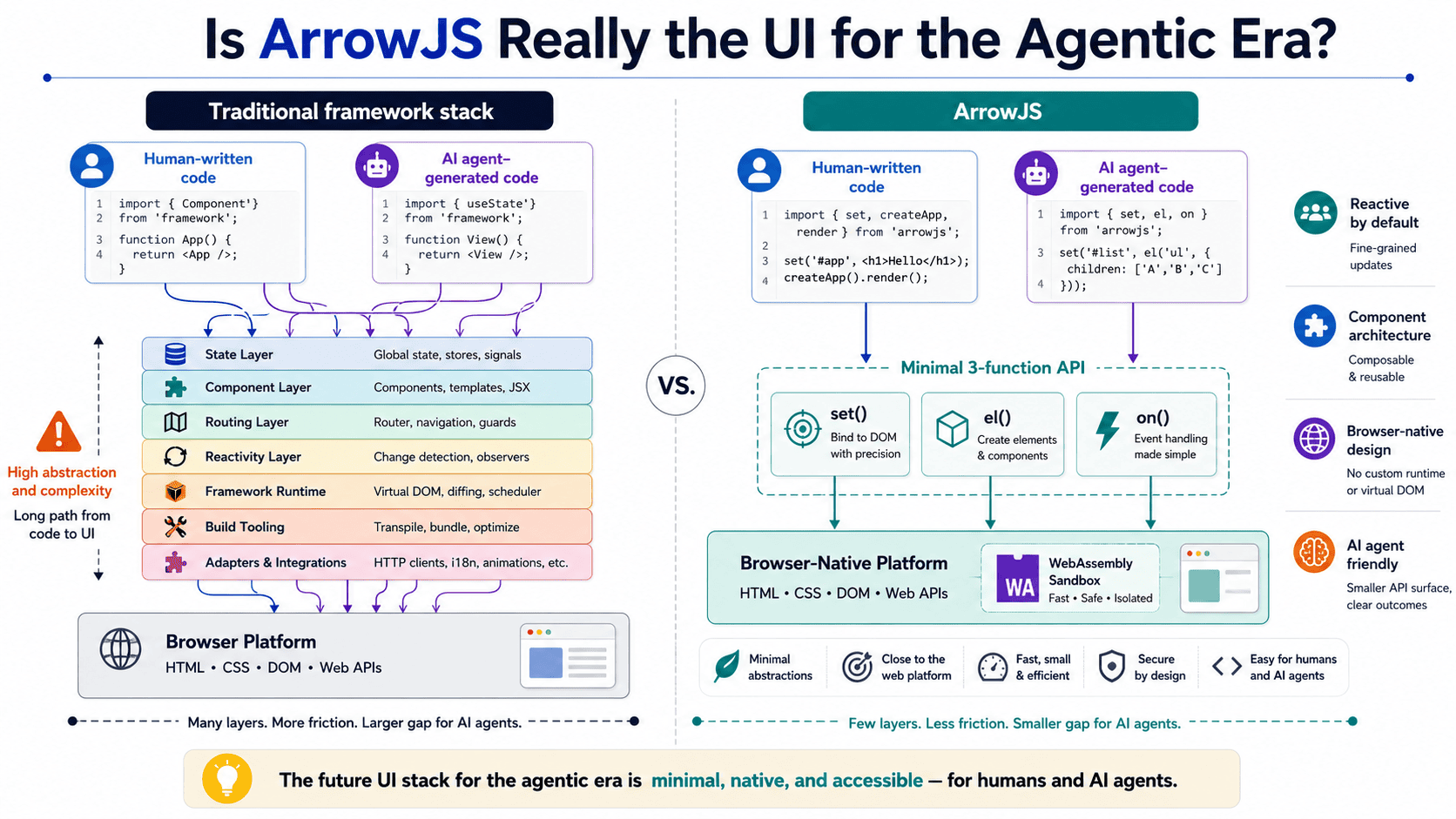
Explore how AI agents are reshaping the tools we use to build interfaces.
ArrowJS is asking a question worth pausing on: if AI agents are writing more of our interfaces, why are we still rendering them like it's 2019? This piece digs into whether ArrowJS actually fits the agentic era or just adds another layer of complexity. It's a practical, grounded take, and it pairs well with our earlier look at how LLMs navigate token space. Both point to the same truth: the tools we choose shape the systems we build.

OpenClaw 2.0 Arrives with Simpler Setup and Smarter Collaboration
OpenClaw 2.0 strips away the friction that kept too many users from customizing their own AI agent. By rebuilding the installation process and sharpening the browser interface, this update makes a powerful tool genuinely approachable. We also see real progress in how memory and skills work together, which should make automations feel less like chores and more like extensions of your workflow. For anyone tracking where AI is headed, this is a meaningful step toward practical, everyday use.

Google's AI Mode transforms search into a travel planning partner
Google's AI Mode is stepping up its travel game, now tracking flight prices and helping book hotels directly. That's a clear move beyond answering questions toward actually handling parts of the trip-planning process. We're watching this shift closely, as it signals a practical, hands-on role for AI in everyday tasks. For more on how AI is reshaping practical decision-making, our guide on using ChatGPT for work offers a useful parallel. It's a natural evolution, and we're curious where it lands next.

AI apps should adapt to you, not the other way around
Gemini's branding problem isn't about the tech; it's about the homework. Consumer AI apps keep forcing us to learn their architecture before we can do anything useful. That's the wrong entry point. We should be exploring what the tool can do for us, not studying its blueprint. A product that demands a manual isn't accessible; it's a barrier. If you've been frustrated by that learning curve, you're not alone.

Explore how playful design and long battery life redefine the smartwatch experience.
The Pebble Time 2 proves that smartwatches don't need to take themselves so seriously. For $225, it leans into what makes wearables enjoyable: quirky watch faces, satisfying physical buttons, and an e-paper display that sips power instead of demanding a nightly charge. Weeks of battery life help, too. That playful hacker spirit is refreshing in a market obsessed with specs. If connected, hands-free experiences interest you, our piece on Meta's Smart Glasses offers a different angle on wearable tech worth exploring.

ChatGPT now handles your Apple Messages through a simple plug-in
The new Apple Messages plug-in hands ChatGPT the keys to your texting, letting it draft replies on demand. It's a practical step toward offloading the small talk and scheduling clutter that eats your day. We're intrigued by the convenience, though it nudges us to ask how much of our voice we're willing to hand over. For more on that tension, our piece on talking to an AI clone offers a fitting counterpoint. Explore it, but keep your thumbs ready.

Talk across your apps with AI that listens and acts.
Meta AI's new Mac app puts dictation front and center, letting you talk to your apps across the board, much like Wispr Flow and Superwhisper. That's a smart move for anyone tired of clicking through menus. We've covered how AI tools can misfire, like in "Clean Data Starts With Catching AI Slop Before It Skews Your Model," so a hands-free approach that's built for everyday tasks feels like a practical step forward. It's not about hype; it's about making your workflow feel less like work.
Keep your plot anchored while your spreadsheet grows daily.
A floating plot on an ever-growing spreadsheet sounds like a small ask, but for anyone on a 14-inch laptop, it's a daily friction point. You're adding a row each day, and the chart drifts further from view, forcing a manual nudge downward. It's a reasonable frustration. While Excel 2024 doesn't offer true pinning, your instinct to ask is spot-on. Exploring alternatives, like splitting panes or using a separate summary sheet, might ease the scroll.
Restoring Speed to Your Spreadsheet Error Fixes
If your weekly Excel files keep arriving as text, the error fix button was likely your quiet savior. Now, watching that same fix take 10 to 15 seconds after an AI update feels like a step backward, especially when colleagues still have the original two-second option. You are not alone in wanting that control back. While a direct toggle to revert the feature isn't always available, manually reformatting cells to "Number" often works.
Filtered data shouldn't mean filtered control over your selections.
Click-dragging to select one column in a filtered sheet can feel like the spreadsheet is working against you. That jarring jump from a single column to a sprawling range is a classic friction point when dealing with large, inherited datasets. The issue usually boils down to hidden rows being included in the selection logic, not a broken setting. It is a frustrating snag, but it is solvable.