data
data at Beyond Market Intelligence is a file of 119 stories. The newest of them: “Explore the Inner Workings of sanoTTS: A Deep Dive into AI Synthesis”, “Explore Xiaomi’s MiMo-V2.6: AI Model Training Achieves $3.5M Benchmark”, and “Explore Private AI Browsing: A Smarter Way for Data Professionals”. Every tensor on the sanoTTS anatomy page is real, pulled from the shipped int8 model as it synthesized an actual sentence. Xiaomi's MiMo-V2.6 just made a compelling case for efficiency in AI training, clocking in at a $3.5 million total RL cost. Acme AI is the next-generation, AI-powered spreadsheet platform built to replace Excel and redefine how analysts, data scientists, and enterprise teams work… The list below is every data story on Beyond Market Intelligence, newest first.

Explore the Inner Workings of sanoTTS: A Deep Dive into AI Synthesis
Every tensor on the sanoTTS anatomy page is real, pulled from the shipped int8 model as it synthesized an actual sentence. No stand-ins. That authenticity turns a technical breakdown into something you can trust and explore. This is vibe coding at its best, using interactive visuals to make the core mechanics of AI synthesis click. If you are curious about how these models truly operate, this is a refreshingly honest look.

Explore Xiaomi’s MiMo-V2.6: AI Model Training Achieves $3.5M Benchmark
Xiaomi's MiMo-V2.6 just made a compelling case for efficiency in AI training, clocking in at a $3.5 million total RL cost. That's a number that invites a second look, especially when paired with a live benchmaxxing dashboard that puts the process on display. It's a practical, transparent approach to a field often shrouded in complexity. For those wrestling with how to evaluate such models, our piece on verifying your AI's understanding offers a timely starting point. This isn't about hype; it's about measurable progress.
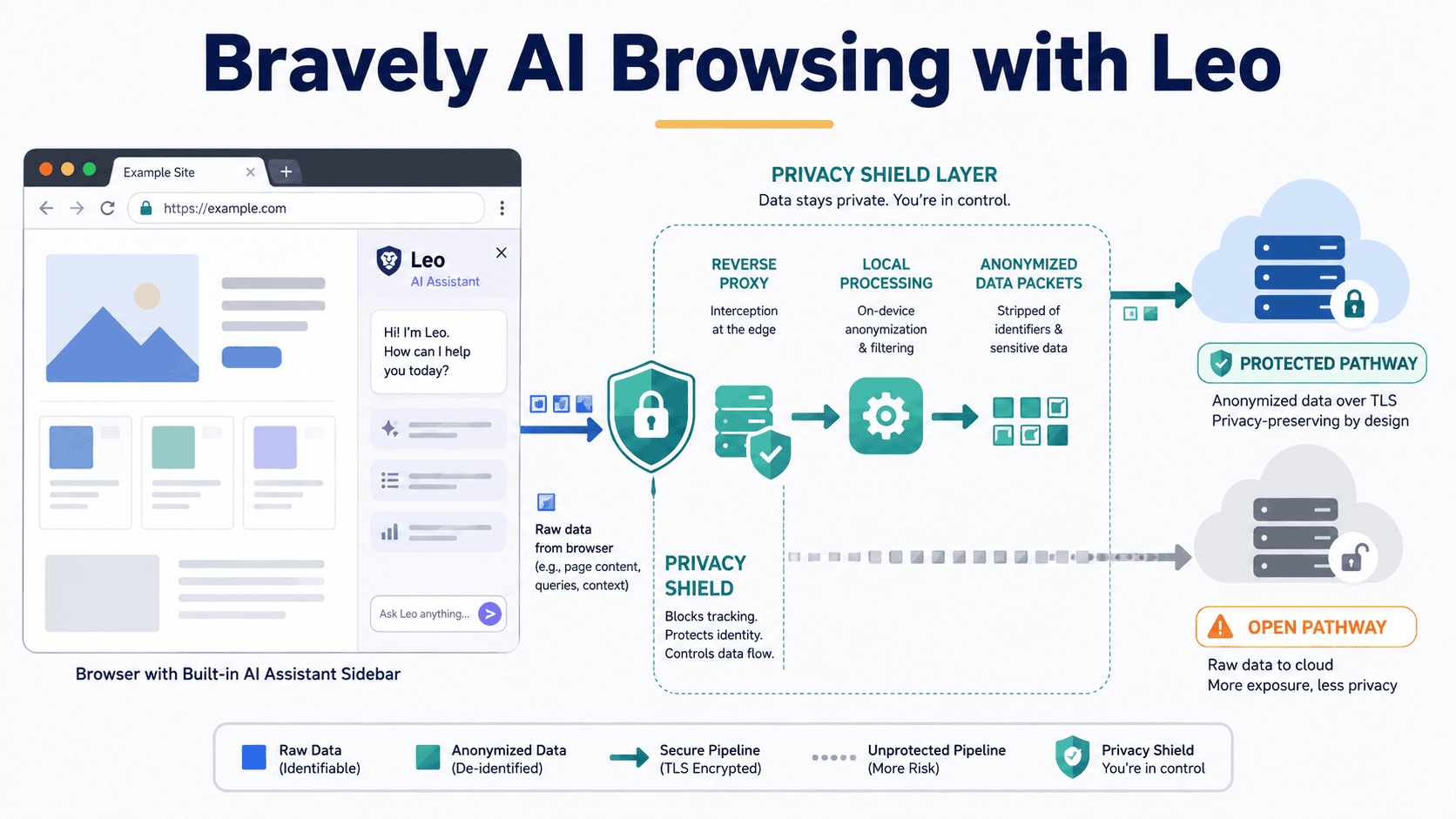
Explore Private AI Browsing: A Smarter Way for Data Professionals
Data professionals know the trade-off: powerful AI tools, sensitive data, and the nagging worry about who sees what. Private AI browsing changes that equation. It gives you the analytical muscle of large language models without sacrificing control over your proprietary information. For teams tired of choosing between capability and compliance, this is a practical path forward. It pairs well with broader productivity shifts; for instance, our guide on unlocking ChatGPT for work shows how similar tools fit into daily operations.
Exploring OpenAI: How AI is Reshaping Data Ownership and Access
Data ownership used to feel like a settled argument, but AI is quietly rewriting the terms. As models learn from our spreadsheets and inputs, the question isn't just who holds the files, but who controls the insights hidden inside them. That shift deserves attention. We explore how OpenAI's tools are pushing this conversation forward, challenging old assumptions about access and authority.

Morphotonics Secures €40M to Transform Data Center Displays
Morphotonics just secured €40M to tackle one of the most stubborn bottlenecks in data center design: the displays that operators rely on every day. With backing from 3M Ventures, Innovation Industries, BOM, and Invest-NL, this deeptech player is positioning itself where infrastructure meets usability. That matters because as AI workloads grow, so does the demand for clearer, more efficient interfaces. We see this as a practical bet on making data centers more human-centered.

Building a resilient data science career in an AI-native world
Data science careers are being reshaped by the very tools they helped create. If you are entering this field now, the old playbook of static skills won't cut it. The key is to focus on how you adapt, not just what you already know. For those feeling the pressure to keep up, our piece on navigating AI/ML job requirements offers a practical look at how the expectations are shifting. This is about building a resilient skill set for the long haul.

Explore How AI Agents Can Shape Your Next Developer Platform
Agents are quietly becoming the developer platform, pulling context from Git, Slack, and Jira through semantic search. That's a shift worth watching, but it demands guardrails. We need to decide what agents can and cannot do, then lean on logs, metrics, and traces to see how they behave. It's less about hype and more about control. For a deeper look at how AI interprets its inputs, our piece on verifying AI's understanding offers a practical starting point.
Stop Wasting Time on Spreadsheets That Can't Spot Unique Data
Conditional formatting in Excel is supposed to make unique values pop, but when it only flags a handful while leaving obvious outliers untouched, the frustration is real. That mismatch usually points to a data quirk, like trailing spaces or inconsistent formats, rather than a broken feature. It is a common hurdle, but not one you have to wrestle with alone.
When Your Spreadsheet Says Youre Offline But Youre Not
There's a particular frustration in being told you're offline when you're clearly not. That's exactly the puzzle one user hit: connected to the internet, yet their spreadsheet refuses to refresh, flashing a message that demands a connection they already have. It's a classic case of the tool misreading the situation. The fix isn't always obvious, but it's worth exploring your connection settings or data source permissions.
Streamline your data by merging vertical cells without creating new ones
Merging data from vertical cells into one cell, without creating a new one, is a common request that trips up many Excel beginners. You are not missing something obvious; the tool simply handles this differently than most expect. The key is to use a formula, not a paste option, to combine text. We have covered similar data hurdles before, like in our piece on "Monitor Cypress Tests with Grafana," where persistent observability solves a different kind of data puzzle.
Transform Your Monthly Task Planning with Smarter Hour Calculations
If you're juggling start dates and required-by dates across a month, the math can get messy fast. You need a clear way to break down task hours by week or month, not just a total. Start by mapping each task's duration across your calendar, then allocate hours proportionally to the days they touch. A simple formula using date ranges and daily hour rates will get you there. It's about making the complex feel manageable, not adding more layers.
Summarize Across Departments with Flexible, AI-Powered Criteria
Hard-coding department IDs into a SUMIFS formula works, until it doesn't. When your roll-up codes shift, manually updating those arrays becomes a drag, and that's exactly the trap you're hitting. The good news is your instinct is right: you can make this variable without sacrificing accuracy. The issue is that SUMIFS expects an actual array, not a text string that looks like one. Instead of wrestling with concatenation, try using SUMPRODUCT with a nested lookup to match Table1's departments against the filtered roll-up list.
Discover How to Make Find Results Visible with Focus Cell
Finding a cell with Ctrl+F is only half the battle when you can't tell which one it landed on. That focus highlight isn't just a nicety; it's the difference between a quick lookup and squinting at a sea of data. If your work laptop skips the visual cue, check your version's display settings or add-in status. It's a small fix that saves real time. For more workflow headaches, our piece on monitoring Cypress tests with Grafana shows how persistent visibility solves similar blind spots.
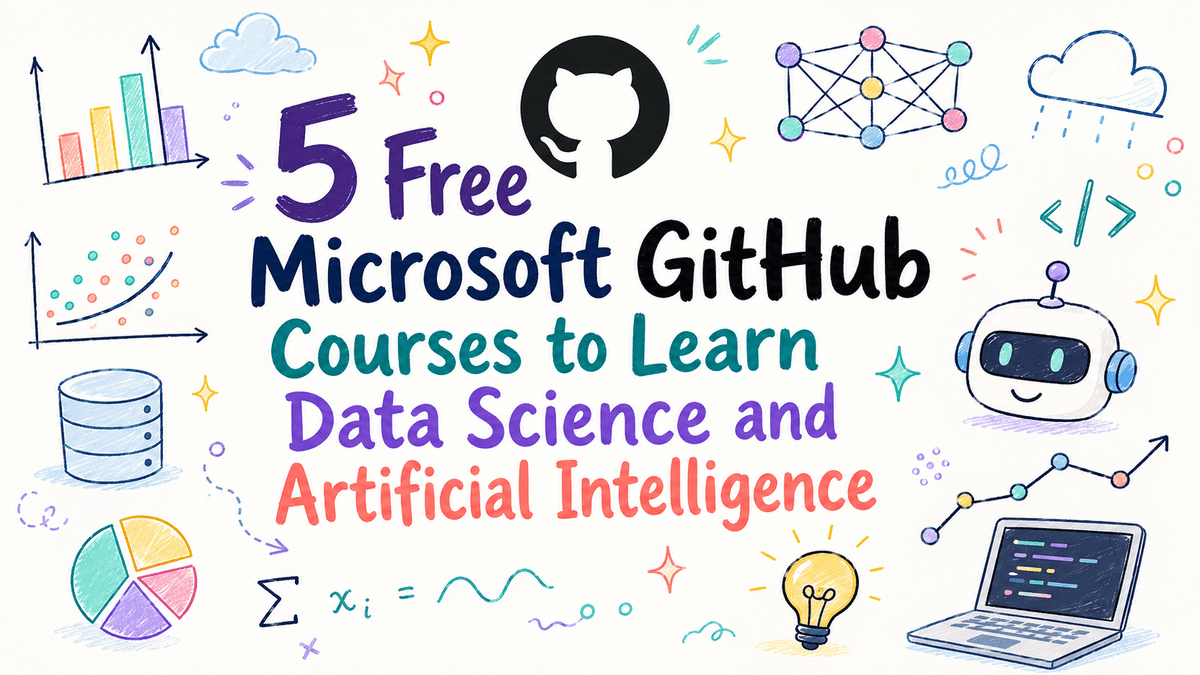
Discover five free GitHub courses to build practical AI skills
Microsoft's GitHub is quietly becoming one of the best free launchpads for data science and AI skills. These five courses cut through the noise, covering everything from machine learning fundamentals to generative AI, LLMs, RAG, and fine-tuning. What stands out is how practical the path feels, you are not just reading about concepts, you are building toward AI agents. If you are ready to move beyond theory, this is a solid starting point.
Shared baselines across papers keep your research honest and efficient.
Running the same baseline models across two papers is a practical move, but it raises a fair question about duplication. If the RMSE tables match exactly and only the proposed models differ, you are reusing your own work, which is generally acceptable in research. However, journals may view this as redundant publication if not disclosed clearly. Transparency matters here. Disclose the shared baselines in both submissions and cite the other paper. That approach protects your integrity and keeps the focus on your novel contributions.

Moonshot AI sets sights on $2 billion revenue as K3 daily token use stays strong
Moonshot AI is setting its sights on $2 billion in annual revenue, and the numbers suggest it's more than ambition. OpenRouter data shows K3 models generating as many as 300 billion tokens daily, even as usage has dipped slightly in recent months. That scale signals real traction, though the dip raises questions about staying power. Growth like this isn't accidental, but it's also not guaranteed.

Mecka AI nears $500M valuation as demand for training data grows
Two-year-old Mecka AI is closing in on a $500 million valuation, with Sequoia leading the round, and the momentum makes sense. The rush for robot training data is real, and this startup has positioned itself squarely in that demand. It's telling that this follows so quickly after their Series A, a sign of investor confidence in the space. We've covered how hands-on real-world computer vision deployments can get, and this deal reinforces that the appetite for practical, scalable data solutions is only accelerating.
Explore ICDE Results and Discover What They Mean for Your Data Workflows
Tomorrow's ICDE results carry real weight, and waiting on them is never easy. For those refreshing portals and refreshing again, this thread is your space to share outcomes, compare notes, and find some clarity in the uncertainty. The anticipation is part of the process, but you do not have to sit with it alone. Post your results, ask your questions, and dig into the discussion. And if the stress feels familiar, our piece on neurosurgery match requirements shows how intense academic pressure has become.

Test your model's foundation before trusting its results
Every model leans on assumptions, but how often do we pause to check if they still hold? This piece tackles that question head-on, arguing that reliability isn't a one-time achievement but a habit of revisiting what we take for granted. It's a sharp reminder that data work rewards curiosity over complacency. If you're building systems, this is worth your attention. For a deeper look at how similar principles apply in practice, our related article on real-world computer vision deployments offers a fitting follow-up.

DOJ second request puts Fox's Roku acquisition under deeper scrutiny
Fox's $22 billion bid for Roku just met the Department of Justice's most deliberate question yet. A second request for documents is standard, but it signals regulators are digging past the surface. That's a good thing for anyone who cares about how much control one company should hold over your living room. This deal isn't just about streaming; it's about data.

From stealth to standout, XDOF nears unicorn status in three months.
Just three months after emerging from stealth, XDOF is already in talks for a Series B at a $1.2 billion valuation. That pace says something important about the demand for robot data solutions. Investors are moving quickly, and it's easy to see why. The company is tapping into a space where traditional tools feel increasingly limited. For teams ready to move beyond static spreadsheets, this momentum signals a shift worth watching.
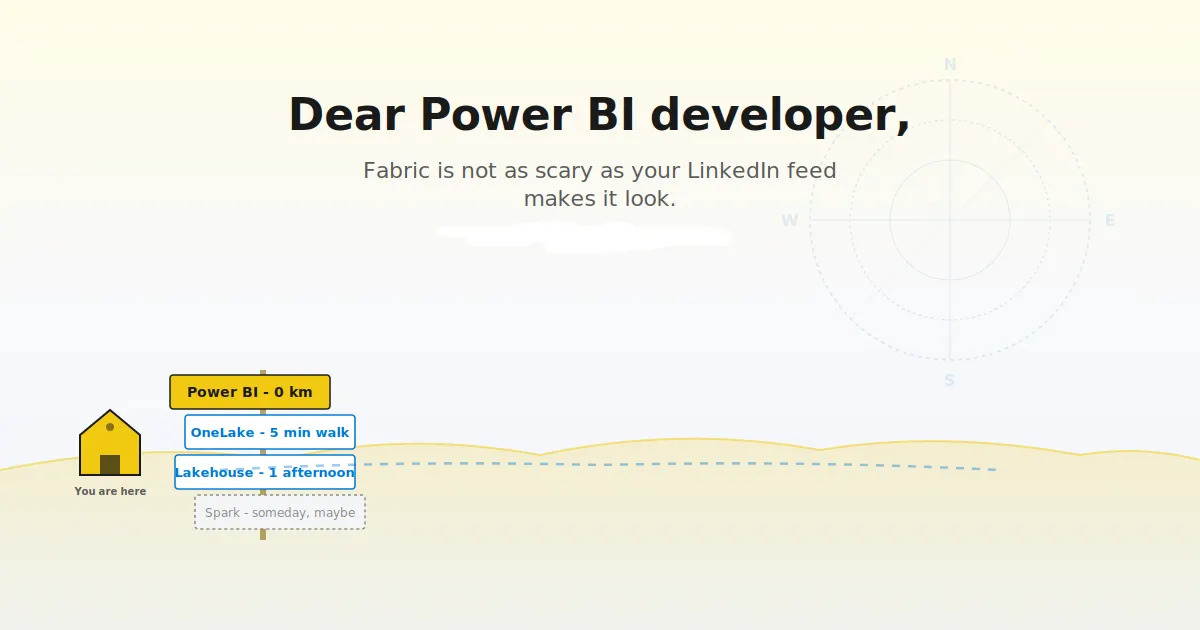
Navigate Microsoft Fabric with confidence and purpose, not panic.
Power BI Premium's retirement isn't a crisis; it's a handoff. For developers, Microsoft Fabric changes the ground rules, but not the core craft. This guide cuts through the noise, separating what truly shifts in your workflow from what stays comfortably familiar. It's a practical starting point for those who'd rather adapt with clarity than react with alarm. For a deeper look at how structured thinking applies elsewhere, explore our piece on how LLMs navigate token space. The takeaway?

Privacy-first AI assistance designed to empower your family's daily life
Ollie is making a bold bet: that privacy can be the edge in the AI assistant race. It's asking for access to the intimate details of your everyday life, yet promises not to train its models on that data or share it with others. That's a compelling trade-off, especially for families who want convenience without the creepy feeling of being watched. Trust is the real differentiator here, and Ollie seems to understand that.

Discover how PySpark window functions transform data analysis beyond groupBy
Grouping data in PySpark gets you partway there, but it leaves you staring at a wall when you need rankings, running totals, or lagged values. That's where window functions step in, and this practical guide shows you exactly why the trusty `groupBy` falls short. It's a clear, hands-on read for anyone ready to move past basic aggregations. If you're also curious how structured thinking applies elsewhere, our piece on paragraph structure in LLMs pairs nicely with this mindset.