Users Don’t Need More Tools: They Need Seamless Integrations
Our take
The relentless pursuit of “shiny new tools” in the AI space often overshadows a far more critical need: seamless integration. As Design Patterns For AI Interfaces so aptly points out, users aren't clamoring for yet another standalone application; they're seeking a more fluid and intuitive experience where useful capabilities are woven directly into their existing workflows. This resonates deeply with our own philosophy – the idea that transformative AI shouldn't disrupt established mental models, but rather enhance them. The current landscape is littered with fragmented solutions, forcing users to juggle multiple platforms and navigate complex transitions. This is particularly evident when considering the broader AI ecosystem; for example, the recent news of Trump drops restrictions on Anthropic’s Mythos and Fable models highlights the instability and uncertainty that can arise from constantly shifting regulatory environments – a distraction from the core need for usability. Similarly, the rise of competitors like Etched, achieving a staggering Nvidia competitor Etched hits $5B valuation, $1B in sales for AI chip, demonstrates that innovation isn't solely about raw processing power, but also about how that power is delivered and integrated into practical applications.
The emphasis on integration isn't merely about convenience; it's about fundamentally reshaping how users interact with data and AI. The frustration of jumping between chat interfaces or wrestling with command-line prompts stems from a disconnect between the task at hand and the tools required to accomplish it. AI-native spreadsheets, for instance, represent a paradigm shift – embedding intelligence directly within a familiar and widely understood interface, eliminating the need to constantly export, import, or translate data. The experiences of researchers who previously built poker AI, now finding success in the financial sector The DeepMind trio who built a poker AI are now making money for quant hedge funds illustrate this point; transferable skills translate well when underlying tools are intuitive and readily adaptable. This underscores the importance of designing AI interfaces that prioritize user experience and minimize cognitive load. The focus shouldn’t be on demonstrating the AI’s capabilities in isolation, but on seamlessly extending the user’s existing abilities.
This shift in perspective has profound implications for product development and adoption. Companies that prioritize building intelligent integrations—rather than simply launching isolated AI features—are likely to see greater user engagement and faster adoption rates. Think of the difference between a spreadsheet that automatically generates insightful visualizations based on your data versus requiring you to manually export the data to a separate charting tool. The former empowers the user; the latter simply adds friction. This isn’t about dumbing down the technology; it’s about making it accessible and useful to a broader audience. The era of standalone AI tools is waning; the future belongs to systems that intelligently augment existing workflows, providing value at the point of need.
Ultimately, the conversation around AI needs to move beyond the hype of individual breakthroughs and focus on the practical reality of user adoption. The most transformative AI solutions won’t be the ones that offer the most advanced algorithms, but the ones that feel the most natural and intuitive to use. As the AI landscape continues to evolve at a breakneck pace, a critical question emerges: how can we ensure that innovation serves the user, rather than the other way around? The answer, it seems, lies in prioritizing seamless integration and a deep understanding of established mental models – a focus that will define the next generation of AI-powered productivity tools.
We often hear about shiny new tools that change everything (yet again). But in practice, most people don’t need more tools to deal with in their daily lives. What we actually need are better integrations of useful capabilities that neatly align with our existing and established mental models.
Users don’t get excited about shiny new “smart” workflows, or navigating Terminal commands, or jumping between endless back-and-forth chat interactions. They need seamless integrations of useful features to address problems with high severity, high frequency, and a high level of frustration.
I’ve always been puzzled by the notion of “AI-first” products. They might speed up production, but we need to know really well first what we actually want to build. AI-first often doesn’t account for years of small and big design decisions that have shaped expectations and mental models over the years.
I love the notion of “Quiet AI”. These are tools that are mostly invisible, sit in the background, and do small tasks on the user’s behalf. They never scream for attention but happily assist in repetitive, frustrating tasks that can easily be automated or assisted with a smart helper.
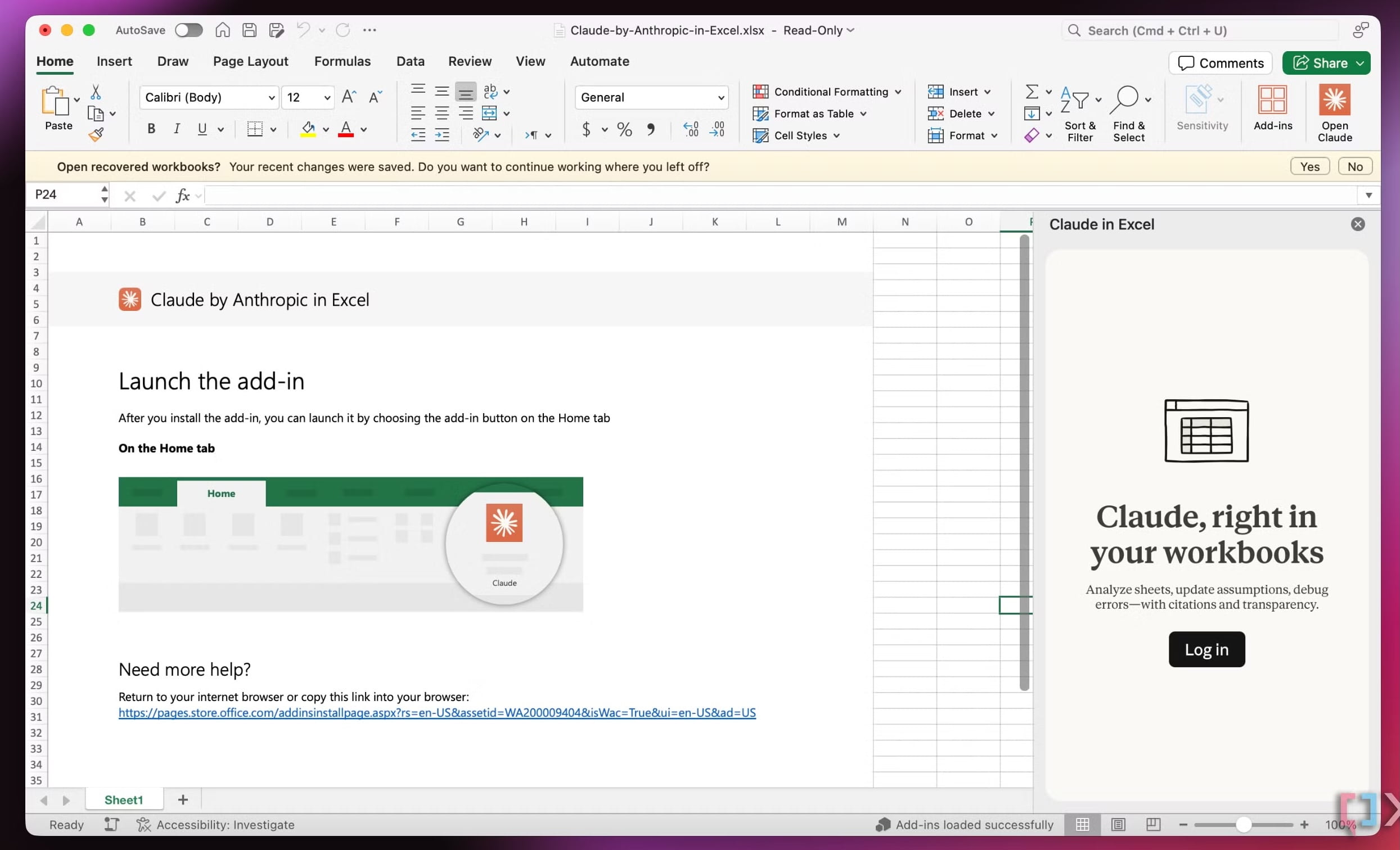
Excellent examples of Quiet AI include Claude’s integration within Microsoft Excel, PowerPoint, and Word, providing assistance in context without disrupting the user's workflow.
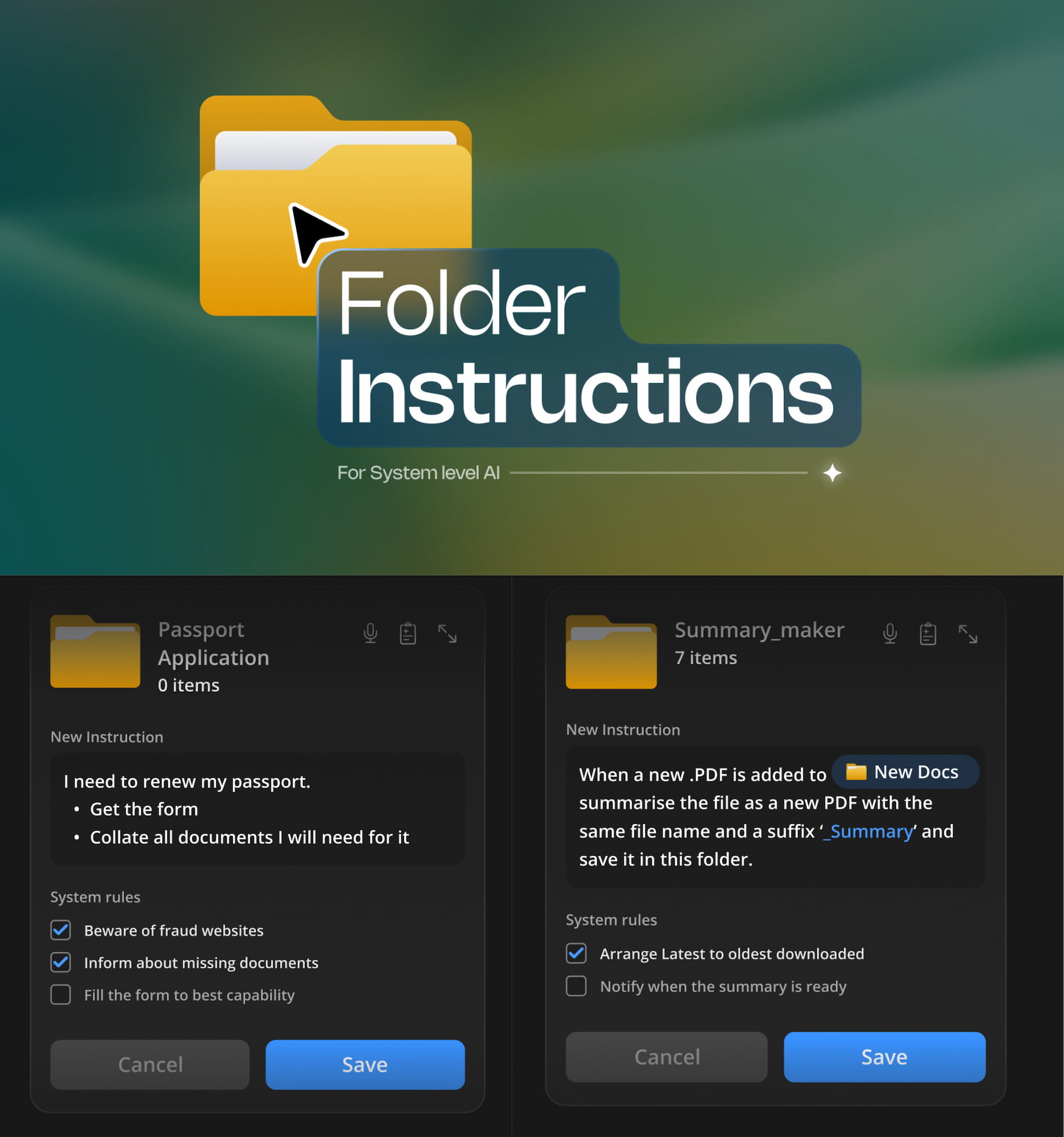
2. Folder Instructions For AI ActionsSo no wonder that I absolutely love the idea of folder instructions! There, users can define what a folder is supposed to do, based on the purpose they created it for. It sounds much more complicated than it actually is.
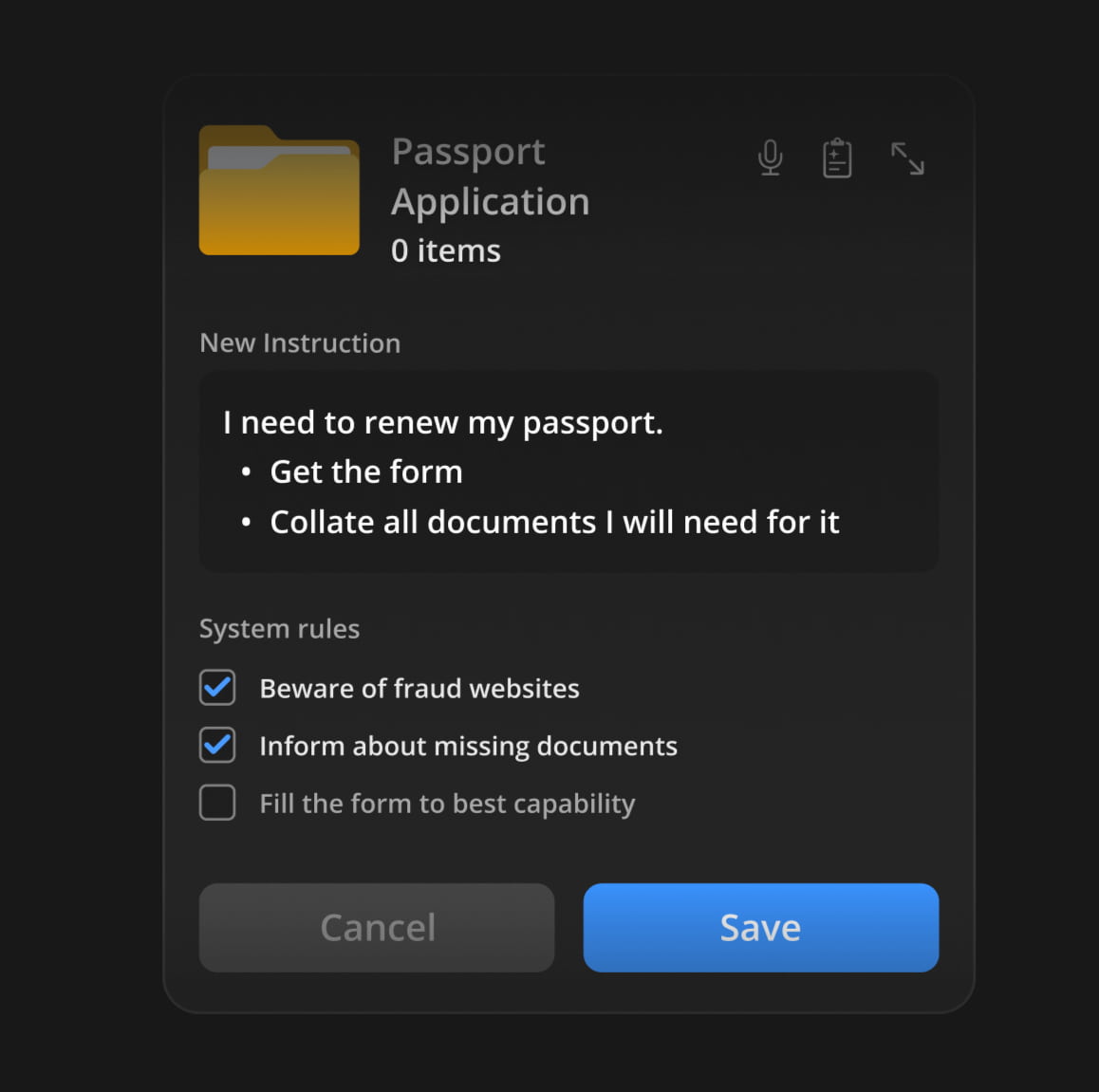
The instructions define what the folder is for, how files should be organized, how sub-folders should behave, and what actions can happen inside. Instead of manually maintaining a folder, you set its intent once and let the system follow it.
It’s a seamless integration of AI helpers just when and where users want and need it. With permissions and actions locally scoped to that specific folder on the user’s machine, unless the user extends access, permissions, or system rules on their own.
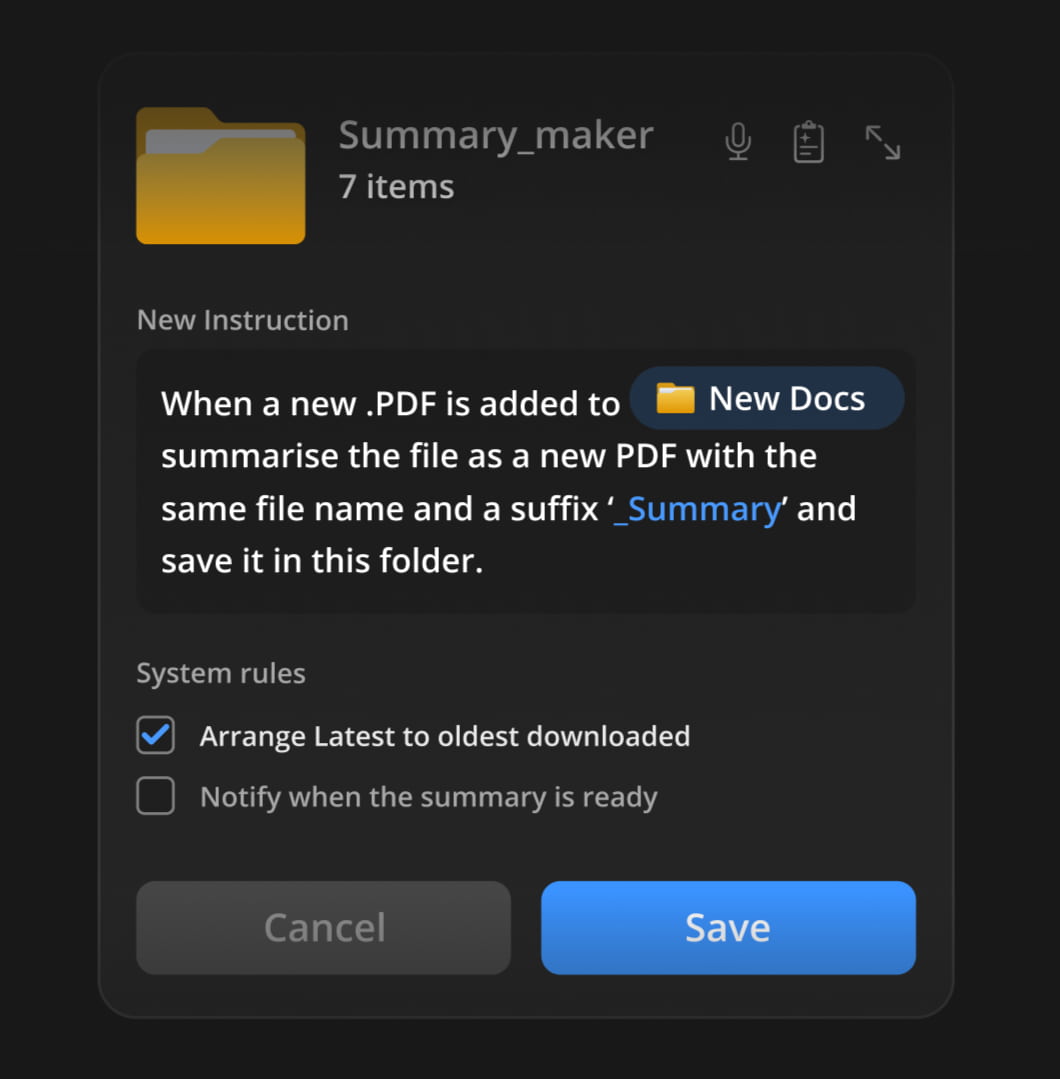
Here are some useful examples:
- For a passport renewal, get the form and collect all the documents I need for it. Inform about missing documents, and fill out the form to the best of your abilities.
- When new invoices are added to the folder, rename them according to the sequence, sort them by invoice number, and organize them in folders by client.
- When a new PDF is added to the folder, generate a summary, send it to my pocket, and send me a notification via email.
Note: For a deeper dive into this concept, you can jump to Karthikeya GS’s wonderful post “Folder Instructions: Instructions For System-Level AI”.
Wrapping UpUser’s value doesn’t emerge from users having to juggle between multiple applications, views, and sources every few minutes. That’s when they are slowed down, and that’s when they make mistakes.
It comes from helping users do the work they need to do — by reducing frustrations, slowdowns and mistakes, and taking care of tasks that otherwise would take too much time and too much effort to complete well.
Yet again, seamless integrations — a very underused but incredibly impactful way to deliver value fast, without adding the burden of installing and learning yet another tool.
Meet “Design Patterns For AI Interfaces”Meet Design Patterns For AI Interfaces, Vitaly’s new video course with 100s of real-life examples and UX guidelines to design AI features that people actually use — with a live UX training later this year. Jump to a free preview.
 Meet Design Patterns For AI Interfaces, Vitaly’s video course on interface design & UX.
Video + UX Training
$ 450.00 $ 799.00 Get Video + UX Training30 video lessons (10h) + Live UX Training.
100 days money-back-guarantee.
Video only
30 video lessons (10h). Updated yearly.
Also available as a UX Bundle with 3 video courses.
Read on the original site
Open the publisher's page for the full experience