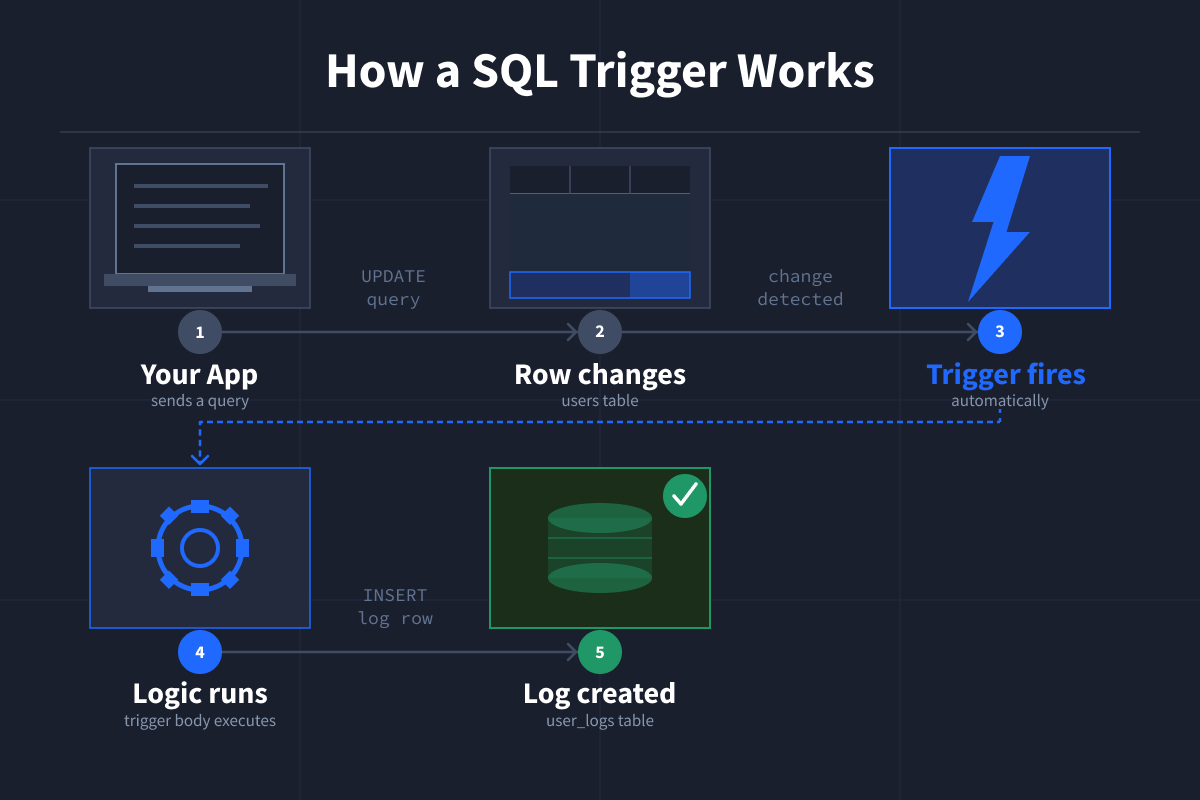
Automating data reactions is not a convenience; it is a necessity. When a row is inserted, updated, or deleted, your database should respond without being asked. That is the quiet power of SQL triggers: they turn a passive store of information into an active participant in your workflow. If you are still manually logging changes or stamping timestamps by hand, you are not just wasting time, you are introducing risk. Triggers remove that friction, and that is why they deserve a central place in how you think about data.
What this means for you is straightforward. Every time a record changes, the trigger fires on its own. No one has to remember to run a script. No one has to hope the right person is paying attention. The logic lives inside the database, right where the data lives. So when a new row appears, a log entry can appear with it. When a record is updated, a timestamp can follow automatically. When a deletion happens, a related action can execute in the same breath. This is not about adding complexity; it is about removing the need to babysit your own systems. You set the rules once, and the database enforces them every single time, consistently and without complaint.
The practical takeaway is that triggers let you stop treating your database like a static filing cabinet. They let it behave like a responsive system, one that understands cause and effect. You do not need to build a separate service to watch for changes. You do not need to hope that every application touching the data remembers to do the extra work. The trigger does it at the source. That means fewer missed updates, fewer forgotten logs, and fewer late-night debugging sessions where the only question is who forgot to call what. For anyone who has ever stared at a missing timestamp and wondered why, triggers are the answer that was there all along.
So the question is not whether you should use triggers. It is whether you can afford to keep ignoring them. Start small. Pick one table where a change matters. Add a trigger that logs the change or updates a timestamp. Watch how the database handles it without you. Then expand from there. The more you let the database do the reacting, the more time you free up for the thinking that actually moves your work forward. That is not automation for its own sake. It is the difference between managing data and letting data manage itself.